Make pins from a link
Paste a link to your product or post and get finished pins.
-

How to make Pinterest pins from an Amazon product
Paste an Amazon link, pick a few settings and get finished pins with your affiliate tag on them.
6 steps · about 3 minutes
See the steps
- 1 Copy the Amazon product link
- 2 Paste it into Made to Spark
- 3 Pick where your product should be shown
- 4 Check the words, then click Make
- 5 Wait about a minute: your pins are ready
- 6 Send them to Pinterest
-

How to make Pinterest pins from a blog post
Paste a blog post link, tap the designs you like and get pins made from your own photos.
6 steps · about 3 minutes
See the steps
- 1 Copy your blog post link
- 2 Paste it into Made to Spark
- 3 Tap the designs you like
- 4 Check the words, then click Make
- 5 Wait about a minute: your pins are ready
- 6 Send them to Pinterest
-

How to make Pinterest pins for your Etsy listings
Type your Etsy shop name, pick a listing and get pins that show your product in new photo settings.
6 steps · about 3 minutes
See the steps
- 1 Click New Pin, then “Etsy shop”
- 2 Pick a listing
- 3 Choose where your product should be shown
- 4 Check the words, then click Make
- 5 Wait about a minute: your pins are ready
- 6 Send them to Pinterest
-

How to make Pinterest pins for a product in your shop
Shopify or your own shop: paste a product link and get pins that show your product in new photo settings.
6 steps · about 3 minutes
See the steps
- 1 Copy your product’s link
- 2 Paste it into Made to Spark
- 3 Pick where your product should be shown
- 4 Check the words, then click Make
- 5 Wait about a minute, then check your product
- 6 Send them to Pinterest
Make pins without a link
No page to paste? Use your own photos, or type a topic and get a pin or an infographic.
-

How to make Pinterest pins from your own photos
Add up to 7 of your own photos, tap the designs you like and get pins that link to your shop or post.
6 steps · about 3 minutes
See the steps
- 1 Click New Pin, then “My photos”
- 2 Check your photos, the link and the topic
- 3 Tap the designs you like
- 4 Check the words, then click Make
- 5 Wait about a minute: your pins are ready
- 6 Send them to Pinterest
-
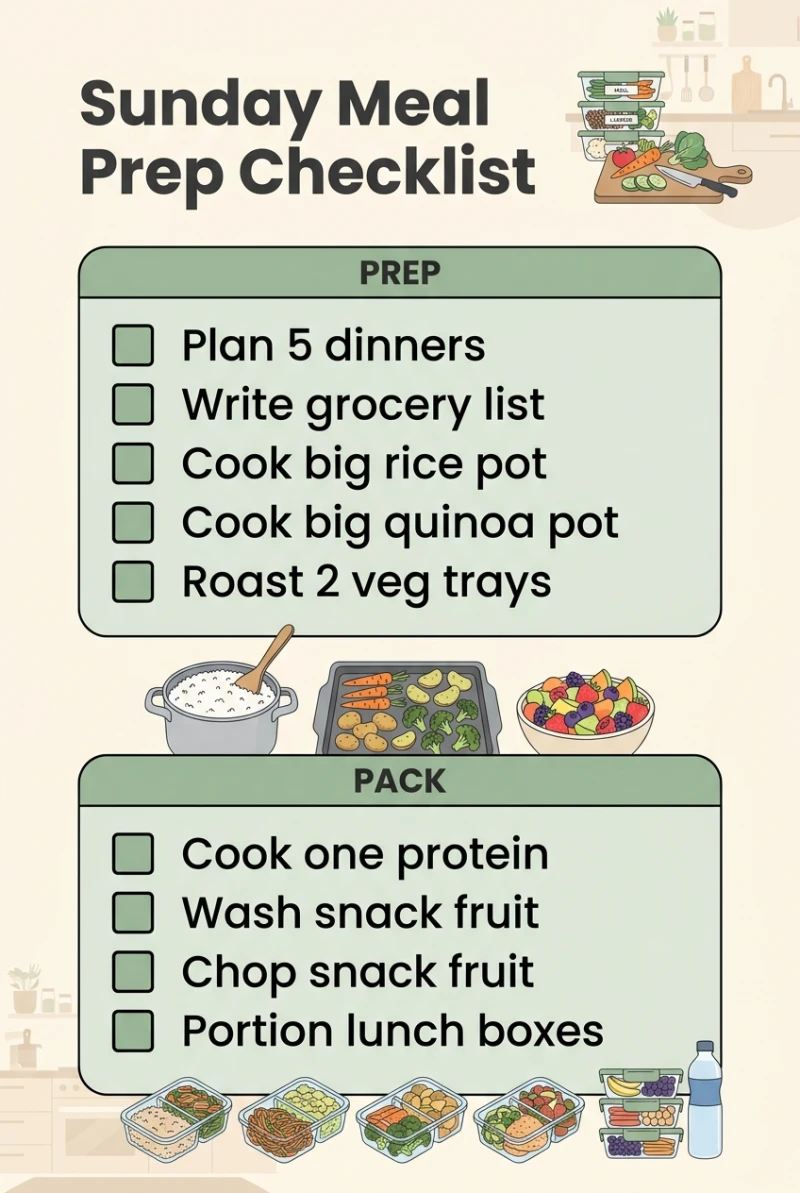
How to make a Pinterest infographic that gets saved
Checklists, how-tos and cheat sheets: the pins people save to come back to. Type a topic, pick a format, done.
5 steps · about 3 minutes
See the steps
- 1 Click New Pin, then “An idea or keyword”
- 2 Type your topic and, if you like, your own points
- 3 Pick a format, then click Make
- 4 Check every word on your infographic
- 5 Send it to Pinterest
-
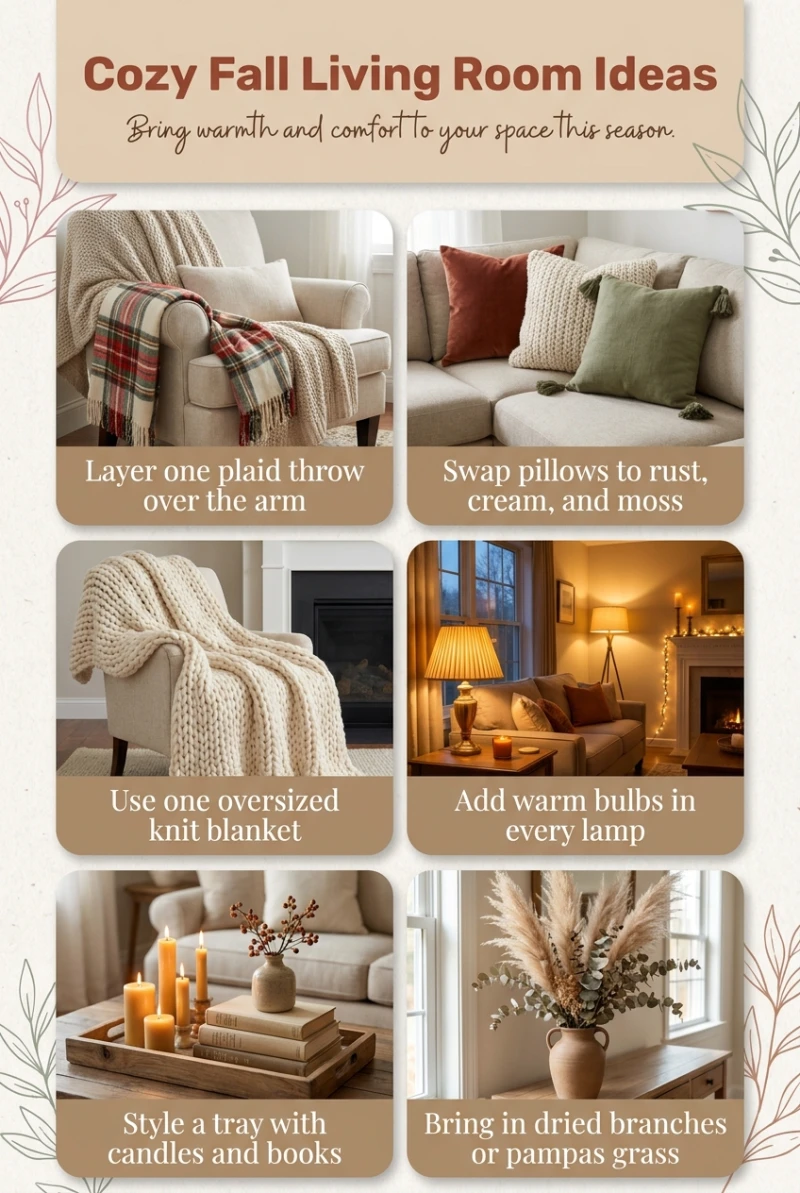
How to make a Pinterest pin from a keyword
No link needed: type a keyword, pick an AI pin or an infographic, and get a finished pin.
5 steps · about 3 minutes
See the steps
- 1 Click New Pin, then “An idea or keyword”
- 2 Type your keyword
- 3 Check what’s ticked, then click Make
- 4 Check every word on your pin
- 5 Send it to Pinterest
Make lots of pins at once
Many posts or products in one go, or pins for every new post.
-

How to make Pinterest pins in bulk
Tick a few blog posts or paste a list of Amazon links, check a sample and approve a pile of pins at once.
6 steps · about 4 minutes
See the steps
- 1 Click Bulk Pins, then choose where your pages come from
- 2 Tick the pages you want
- 3 Look at the sample, then click Make
- 4 Wait about a minute, then look at Pending pins
- 5 Fix a pin marked “Needs a look”
- 6 Pick the boards, then approve
-

How to set up Auto Pin: pins for new posts and the pages you pick
Connect your blog, Shopify store or Etsy shop once. Every new post gets its own pins, the posts you pick keep getting fresh ones, as hands-off as you like.
6 steps · about 4 minutes
See the steps
- 1 Click Auto Pin, then choose what to pin
- 2 Tell it where your posts are
- 3 Look at your sample pins
- 4 Choose which older posts get pins
- 5 Choose how hands-off, then click Start
- 6 Review your pins
Get your pins on Pinterest
Schedule your pins, or post one pin to more than one board.
-
How to change a pin after it’s made
New words, another photo or colour, or a fresh AI picture. Most changes use no credit.
5 steps · about 3 minutes
See the steps
- 1 Find your pin and click Edit
- 2 Change the words, colours or photo
- 3 Save, and your pin updates
- 4 On an AI pin: fix the headline
- 5 Want a new picture? Remake it
-

How to schedule your pins to Pinterest
Schedule one pin from My Pins, or fill your whole calendar in one click. Plus: posting to more than one board.
4 steps · about 4 minutes
See the steps
- 1 From My Pins: one pin at a time
- 2 From the calendar: fill it in one click
- 3 From the calendar: pick a pin for a day
- 4 Change or move a scheduled pin