Before you start
- A pin you made in Made to Spark, in My Pins.
- Credits only for Remake and Edit with AI: 1 credit each. Every other change uses none.
-
1
Find your pin and click Edit
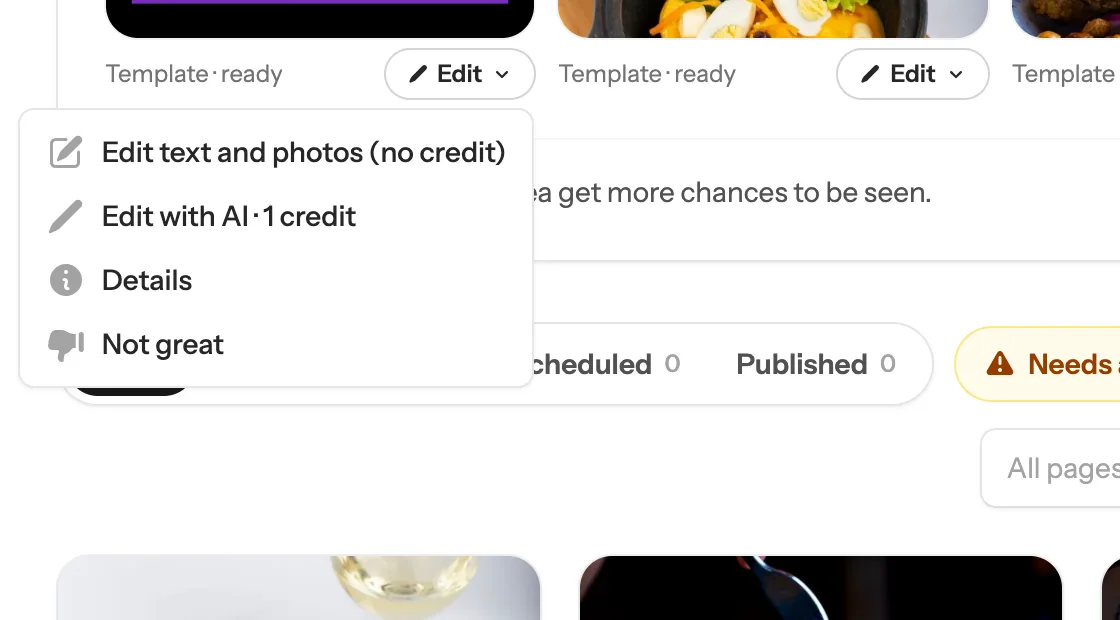
Just made it? Click Edit under the pin in the Just made box at the top of My Pins. Made it earlier? Click My Pins on the left, find the pin and click the ⋯ button under it. You see the same choices. Which ones depends on the kind of pin:
- 1 A template pin (made from your photos or a page’s photos) has Edit text and photos (no credit). Steps 2 and 3 show it.
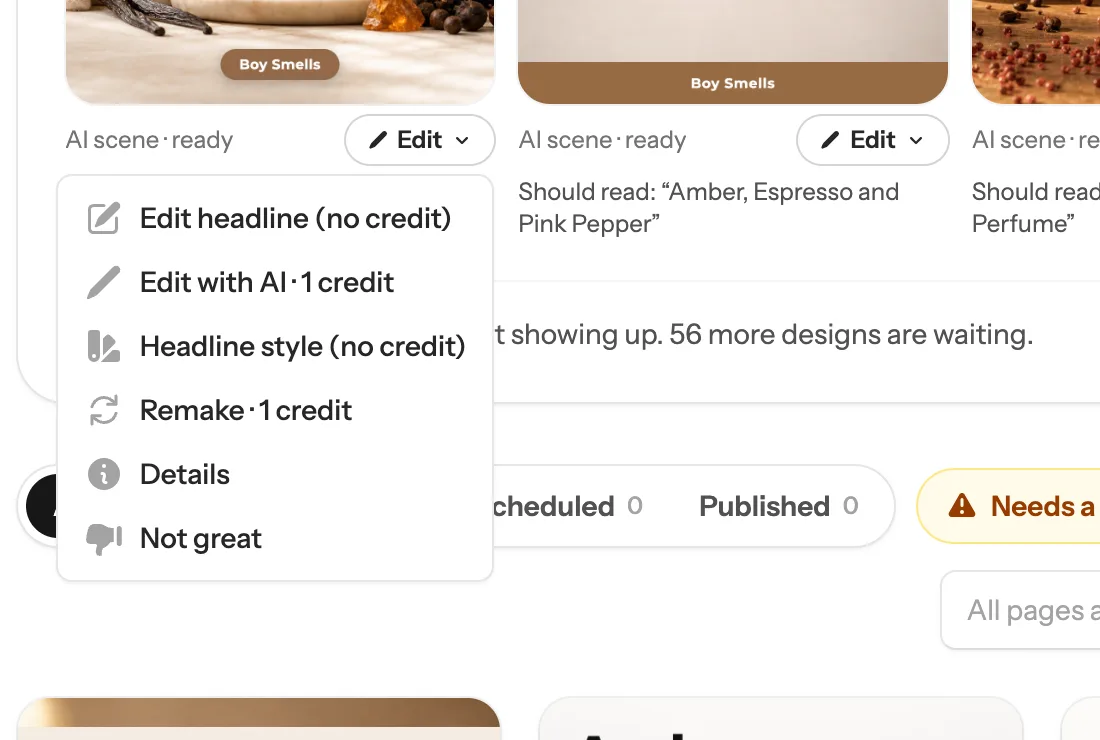
- 2 An AI pin (a new photo drawn by AI) has Edit headline (no credit), Headline style (no credit) and Remake · 1 credit. Steps 4 and 5 show those.
 1
Tip: Every choice says if it uses a credit. Changing words, colours, photos or the headline style never does.
1
Tip: Every choice says if it uses a credit. Changing words, colours, photos or the headline style never does. -
2
Change the words, colours or photo
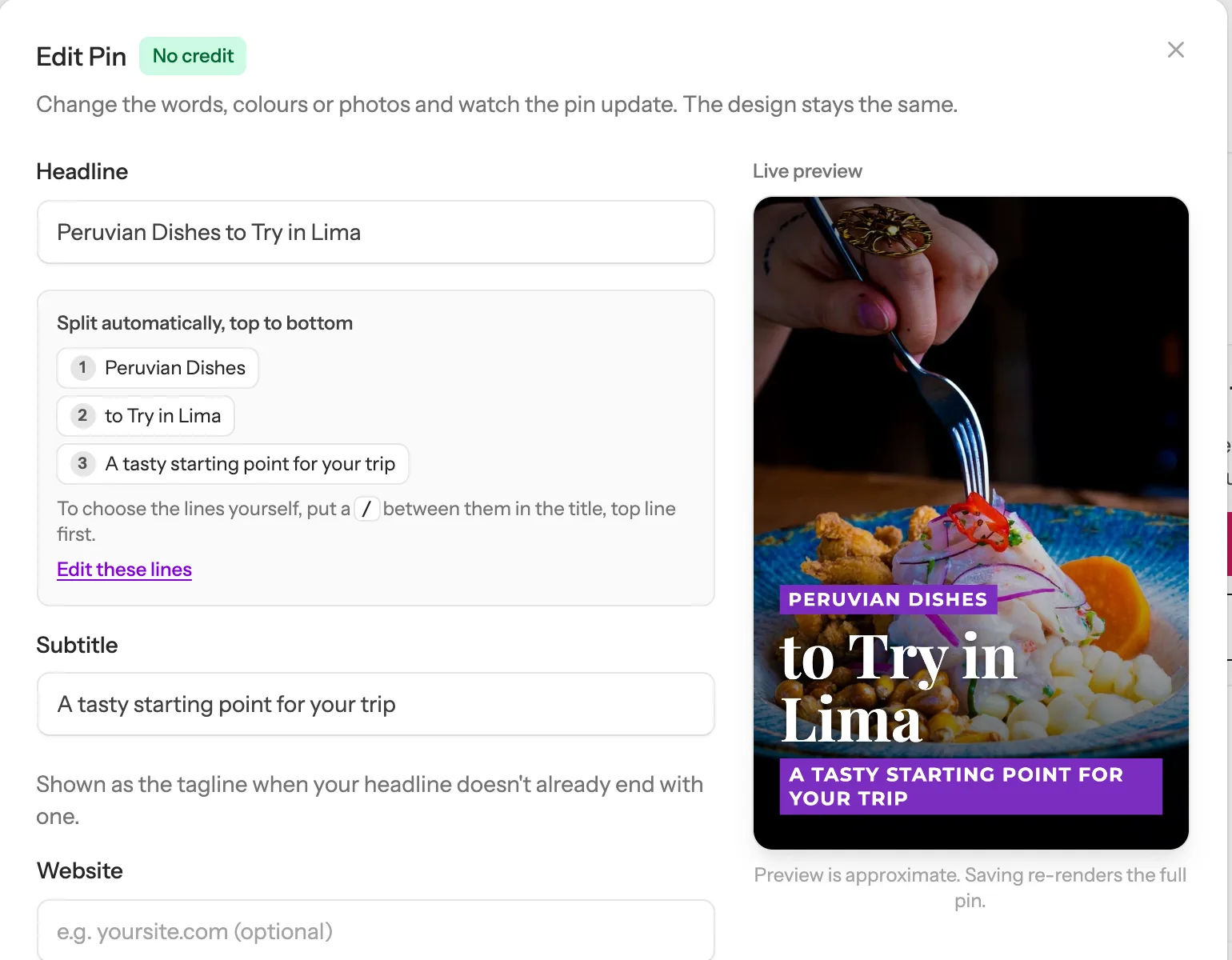
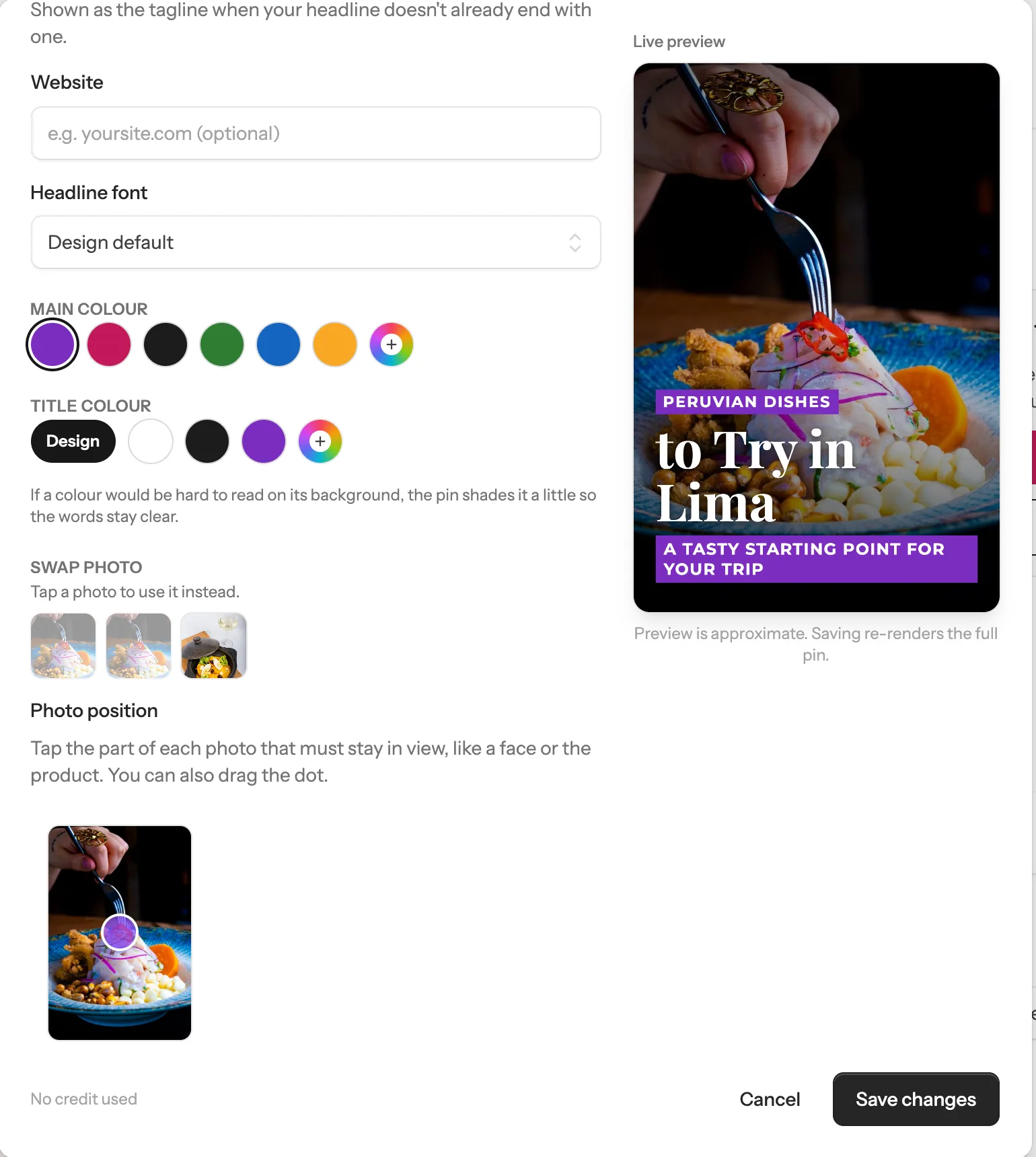
The Edit Pin window opens, with a live preview on the right that changes as you type. The design stays the same:
- 1 Type new words in Headline. They split into lines on their own. To choose the lines yourself, put a / between them.
- 2 Pick a different font, main colour or title colour further down.
- 3 Under Swap photo, tap one of the page’s other photos to use it instead.
- 4 Under Photo position, tap the part of the photo that must stay in view, like a face or the product.
 1
Live preview
1
Live preview
 3
4
Save changes
3
4
Save changes
-
3
Save, and your pin updates
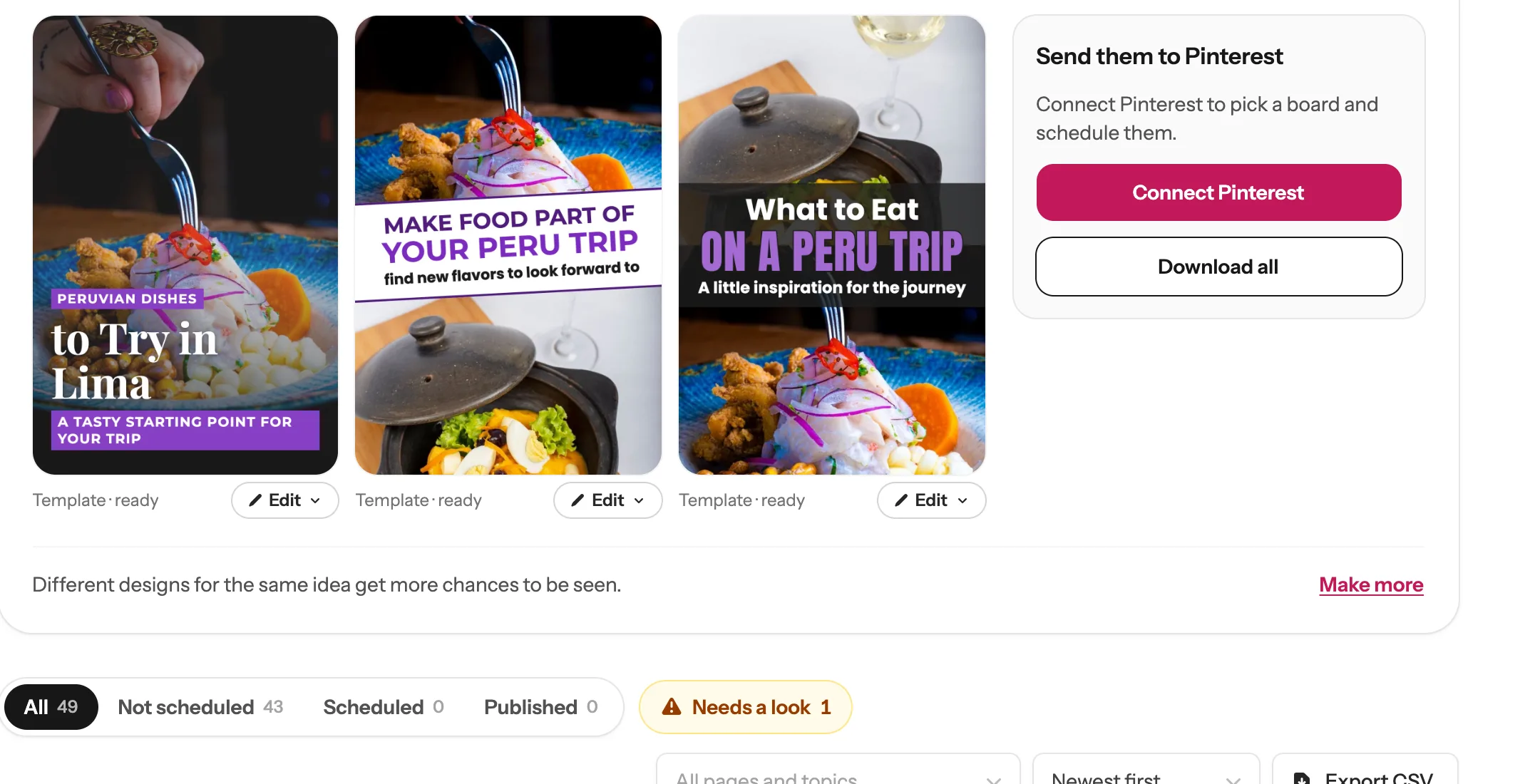
Click Save changes. The pin shows “Updating…” for a few seconds, then “Updated: your pin has its new look”. It is the same pin, so if it was already scheduled it goes out with the new look. No credit is used.
 New words, same pin
-
4
On an AI pin: fix the headline
AI pins have their own Edit menu. Now and then AI slips a letter in the headline, so compare it with “Should read” under the pin:
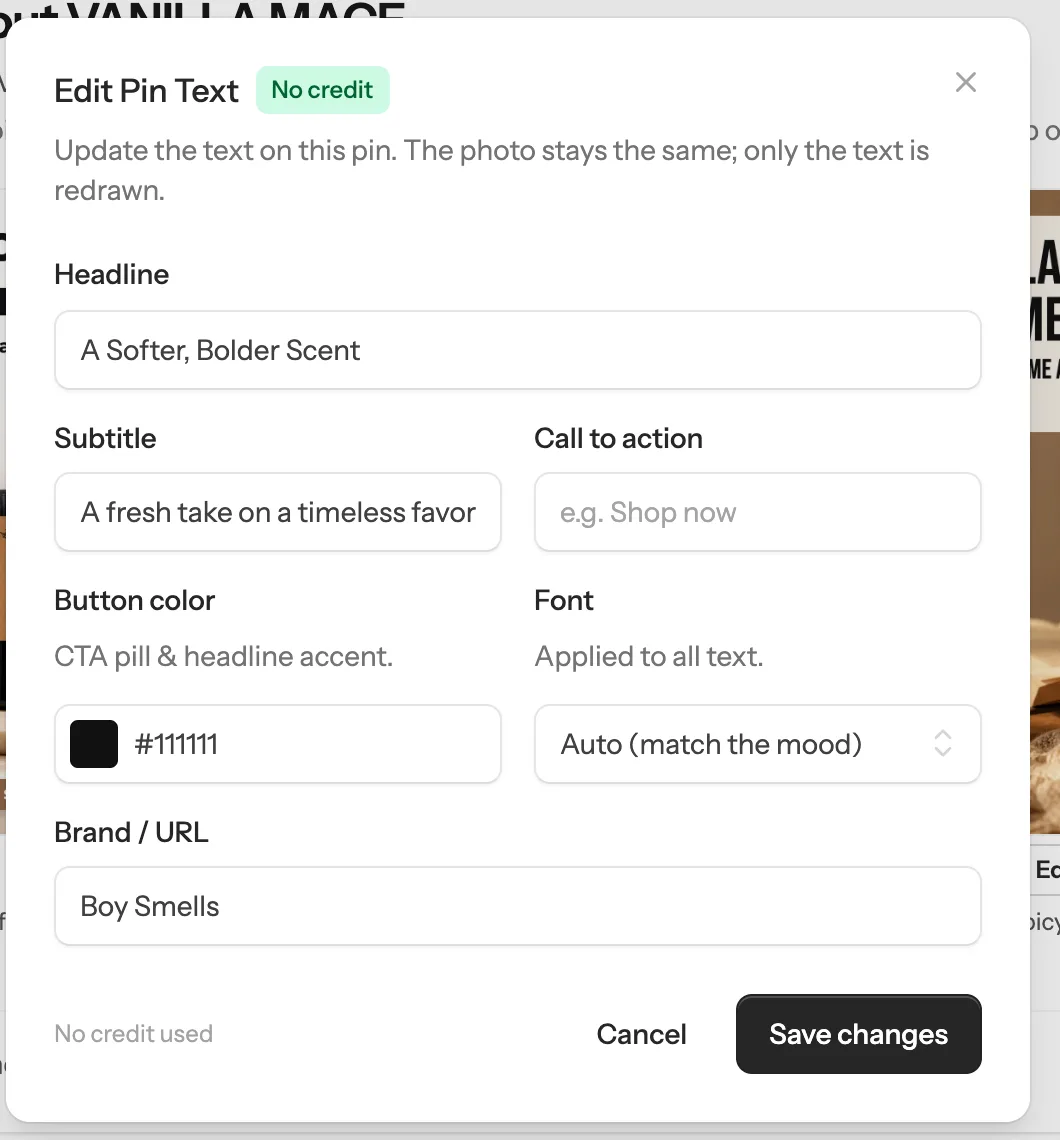
- 1 Click Edit, then Edit headline (no credit). Change the headline, subtitle or name at the bottom, then click Save changes. The photo stays the same; only the words are drawn again.
- 2 Want the words to look different? Click Headline style (no credit) and pick another design. Same photo, same words.
 1
2
1
2
 1
Save changes
1
Save changes
-
5
Want a new picture? Remake it
On an AI pin, click Edit, then Remake · 1 credit. AI draws the same setting with the same headline again, as a new pin next to the old one, ready in about a minute. The old pin stays, so delete the one you don’t want: click ⋯ under it in My Pins, then Delete.
 The remake
Tip: Your product has a label or a logo? AI can lose the small printed words, on a remake too. Here both the first pin and its remake lost the label. For products like that, make template pins instead: they use your real photos as they are. Edit with AI · 1 credit is there too: describe one change, like new words on the pin, and AI draws a new pin with it. The original stays.
The remake
Tip: Your product has a label or a logo? AI can lose the small printed words, on a remake too. Here both the first pin and its remake lost the label. For products like that, make template pins instead: they use your real photos as they are. Edit with AI · 1 credit is there too: describe one change, like new words on the pin, and AI draws a new pin with it. The original stays.
Done! Your pin, your way
New words, colours and photos use no credit. A new AI picture uses one.
Next guide
Schedule your pins, and post them to more than one board
From My Pins, or fill your whole Pinterest calendar in one click.
Questions
Which changes use a credit?
Changing the words, colours, photo, photo position or headline style uses no credit. Remake, New variation and Edit with AI each draw a new picture with AI, so they use 1 credit, and the menu says so next to them.
Does editing make a new pin?
Edit text and photos, Edit headline and Headline style change the same pin, so a scheduled pin goes out with its new look. Remake, New variation and Edit with AI make a new pin next to the old one; the old one stays until you delete it.
Can I edit a pin that is already on Pinterest?
Not the one on Pinterest itself. Change the pin in My Pins, then schedule it again: open the ⋯ menu under it and click Schedule again.
What does Not great do?
It tells us the pin missed the mark, and it shapes what we improve. It does not change or delete the pin.
How long can I edit my pins?
Pins are kept in My Pins for 60 days after they are made. Schedule or download the ones you want to keep.
Stuck on a step? Just reply to any email from us, or use the chat button at the bottom right.