Clicky

Pinterest for Amazon Influencers

Turn your Amazon storefront into Pinterest pins

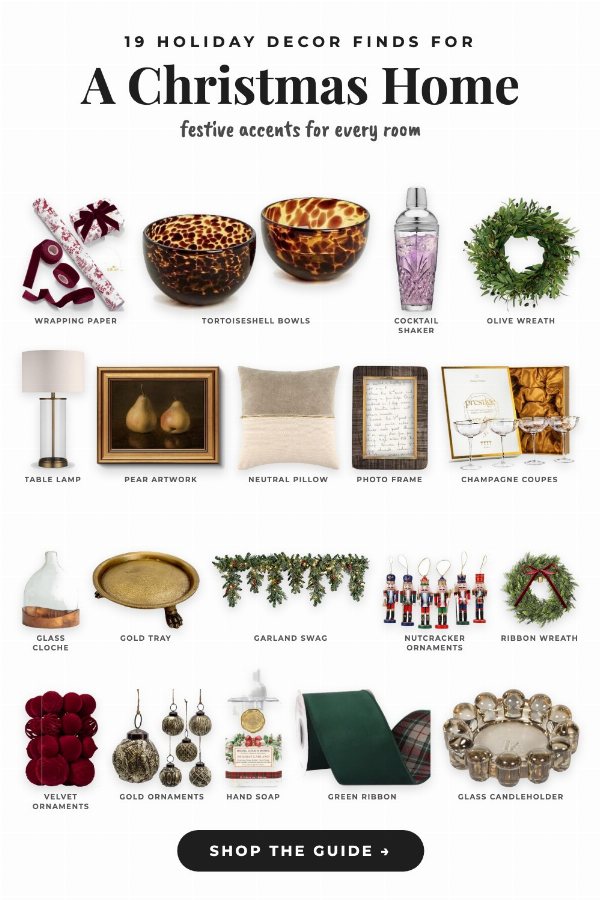
A roundup pin: 19 Amazon holiday decor products from a creator's storefront, cut out on white under the headline A Christmas Home
Roundup pin, 19 products
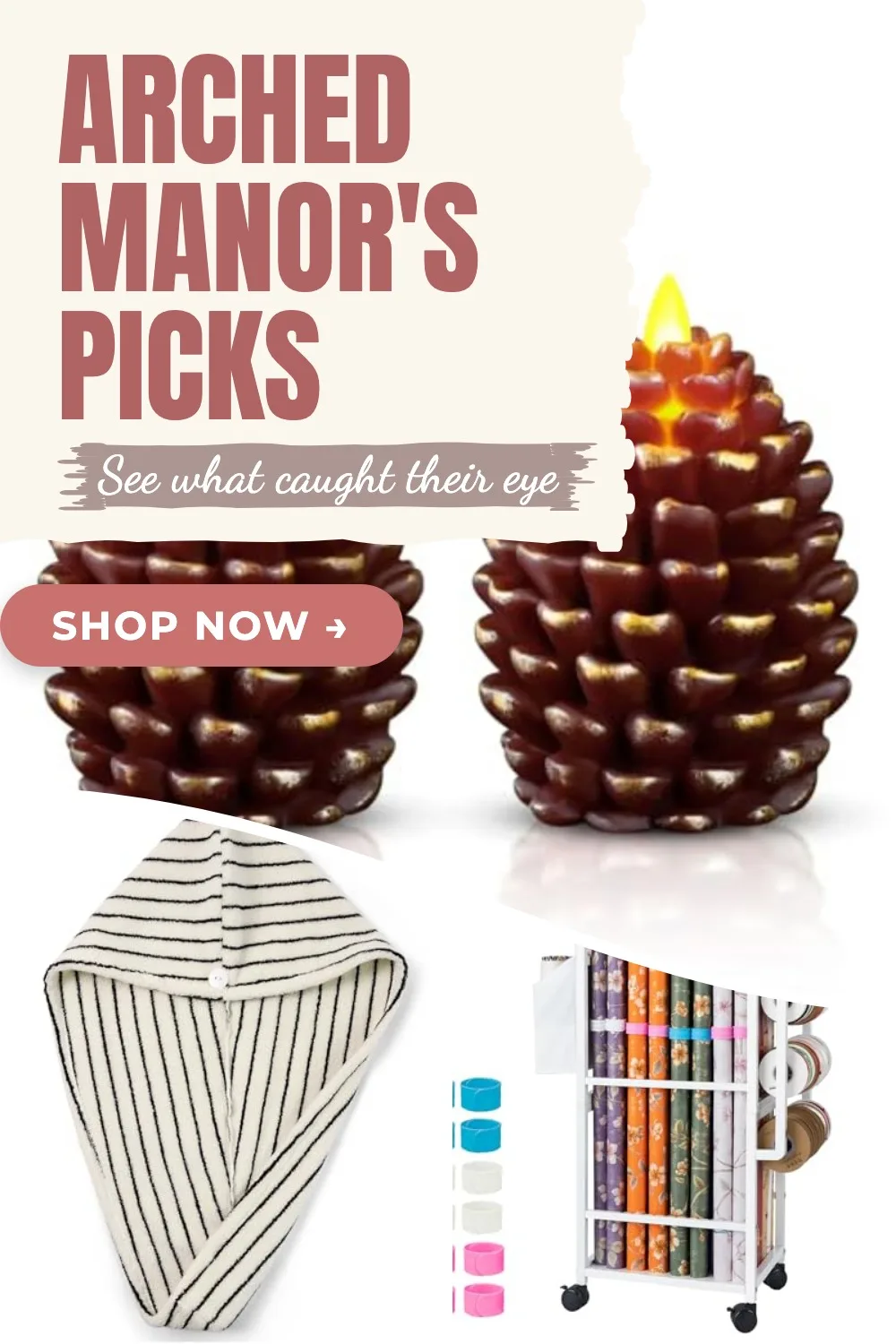
A pin in a design: three Amazon products from a creator's storefront under the headline Arched Manor's picks
Pin in a design, 3 products

Pinterest counts for the Amazon Influencer Program, and since June 2026 you can link your storefront to Pinterest. Made to Spark fills it with pins: paste your storefront or an Idea List, tick products, and get finished pins with your affiliate ID and #ad added.

7-day trial · No credit card required. Plans start at $12 a month.

No signup needed. You pick the pins you like and download them.

Paul By Paul, founder of Made to Spark · Last updated Nov 10, 2026

How do Amazon influencers use Pinterest?

Pinterest counts for the Amazon Influencer Program, and eligible creators can link their storefront to Pinterest. To make the pins, paste your storefront or an Idea List into Made to Spark, tick products, and get a roundup pin, a pin in a design or a pin for each, with your affiliate ID and #ad added.

Apply with Pinterest
Yes for the Influencer Program; not listed for an Associates application
Start from
Your storefront (amazon.com/shop/…) or one of its Idea Lists
Pin link
Your storefront or list, with your affiliate ID
Disclosure
#ad is added first in each pin description
Publishing
Publish now or schedule to your boards through the official Pinterest API

Influencer Program or Associates?

Influencers are Associates with extra tools. The difference that matters on Pinterest: only the Influencer Program takes Pinterest as your account.

Influencer Program Associates
Apply with Pinterest Yes, with YouTube, Instagram, TikTok or Facebook too Not listed: Facebook, Instagram, X, YouTube, TikTok and Twitch are
Storefront Yes, at amazon.com/shop/yourname No
Idea Lists Yes, themed lists inside your storefront No
Link to Pinterest Storefront linking, for eligible creators No storefront to link
Commission on links Standard rates by product category Standard rates by product category

The Influencer Program runs in selected countries. Amazon checks content quality, engagement and followers, and publishes no minimum.

Your storefront, three ways to pin it

Paste your storefront or an Idea List into Made to Spark. Your products show in a grid. Tick the ones that go together, then pick one.

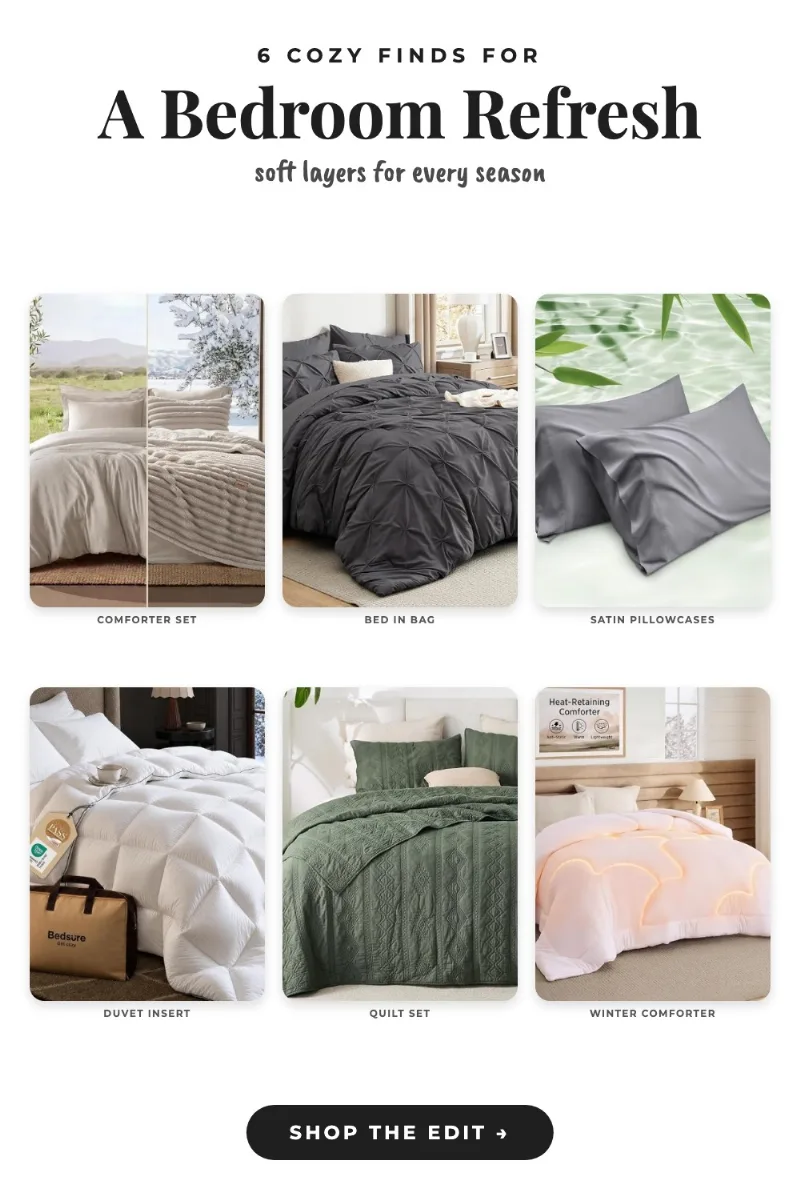
A roundup pin with six Bedsure bedding products under the headline 6 cozy finds for A Bedroom Refresh

Roundup pin

4 to 20 products

Each product cut out on white, with a short name, a headline and a shop button. We write the words.

A pin in a design with three Amazon products under the headline Arched Manor's picks

Pin in a design

2 to 6 products

Pick one of our designs, grids, collages and strips, and change the headline. All your products on one pin.

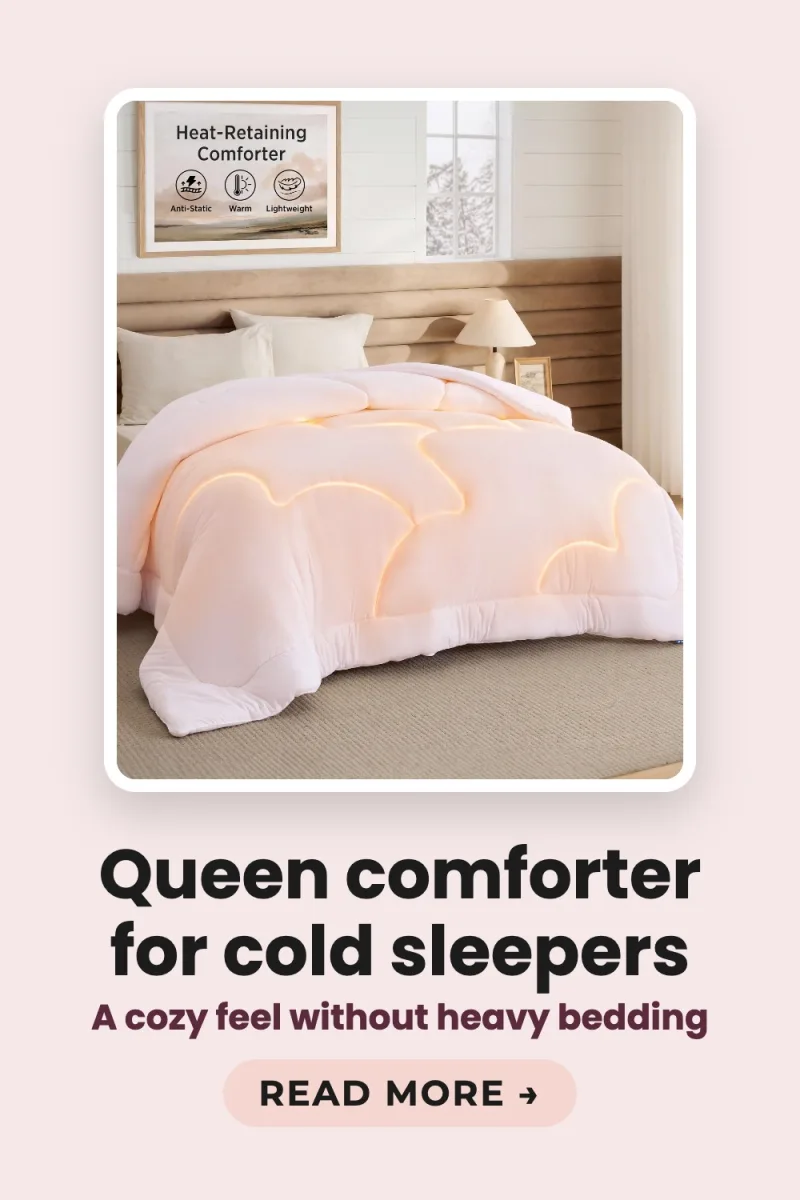
A pin for one Bedsure product from the store

A pin for each

Any number

Every product gets its own pins, linking to that product. Many at once in Bulk Pins, on the Pro and Growth plans.

Roundups and designs link to your storefront or list, with your affiliate ID. Every pin gets its Pinterest title, description and alt text written, with #ad first.

Pins made from Amazon products

Each pin below was made from an Amazon link in Made to Spark. Tap any pin to see it up close.

From the product photos

Template pins

Amazon's product photos in ready-made layouts, with your brand colors. Template pins are included in every plan.

Made with this brand's color (#7C2D12). Your pins use your own.

See all templates
  • Best Travel Gadgets

  • Must-Have Kitchen Tools

  • 8 Gift Ideas for Her

  • Cozy Fall Candles

Make pins like these from your storefront

Paste your storefront or an Idea List, tick products and pick how to pin them.

Create your account

7-day trial · No credit card required.

Rules to follow on Pinterest

Disclose every link

Amazon asks for "As an Amazon Associate I earn from qualifying purchases" on your account, and a label like #ad near each link. Made to Spark puts #ad first in each description.

Post in moderation

Pinterest treats large volumes of repeated affiliate pins as spam. Make each pin useful, like a themed roundup, and spread them out.

Keep the link readable

Amazon and Pinterest both object to links that hide where they go. Pins from Made to Spark link to the full Amazon address with your ID.

One account

Pinterest asks affiliate creators to run one account, and not to ask others to pin with their affiliate ID.

Linking pins to a blog instead? See Pinterest for Amazon affiliates.

Frequently Asked Questions

Can I join the Amazon Influencer Program with Pinterest?

Yes. Amazon says creators need a qualifying YouTube, Instagram, TikTok, Pinterest or Facebook account to apply. Amazon looks at content quality, engagement and followers, and does not publish a minimum follower count.

Is the Influencer Program the same as Amazon Associates?

Influencers are Associates with extra tools: a storefront at amazon.com/shop/yourname, Idea Lists, and photo, video and livestream content. Associates already in the program can register for it with their existing account. The Associates application itself does not list Pinterest as an accepted social account.

Can I link my Amazon Storefront to Pinterest?

Yes, if you are eligible. Since June 2026 Pinterest lets creators in the Amazon Influencer Program link their storefront to a Pinterest business account. When you tag an eligible Amazon product on a pin, your affiliate link is applied, and the pin shows an affiliate disclosure. Pinterest is rolling it out gradually, so it may not show on your account yet.

How do I make pins from my storefront?

Paste your storefront link (amazon.com/shop/yourname) or one of its Idea Lists into Made to Spark. Your products show in a grid. Tick them, then choose a roundup pin (4 to 20 products on one pin), a pin in a design (2 to 6 products in a design you pick) or a pin for each. Or click one product to make its own pins.

Where do the pins link?

A roundup pin and a pin in a design link to your storefront, or to the Idea List you pasted, with your affiliate ID on the link. A pin for one product links to that product, with your ID.

My Influencer tag is not my Associates tag. Which one goes on the pins?

The one in the storefront link you paste. If your link has no tag, save your Influencer tag under Settings, Integrations, Amazon: pins that link to your storefront or Idea Lists then use it, and product links keep your Associates tag.

Do I have to disclose affiliate links on Pinterest?

Yes. Amazon asks for "As an Amazon Associate I earn from qualifying purchases" on your account and a label such as #ad near each link. Pinterest also asks for a clear disclosure. Made to Spark puts #ad first in the description of every pin with an Amazon affiliate link.

How many affiliate pins can I post?

Pinterest asks for affiliate content in moderation and treats large volumes of repeated affiliate pins as spam. Make each pin add something, such as a themed roundup, and spread pins out. Made to Spark keeps pins for the same link a week apart when you schedule them.

Can I use amzn.to short links on Pinterest?

Amazon allows its own short links but not ones that hide that the link goes to Amazon, and Pinterest can block shorteners that are used for spam. Made to Spark links pins to the full Amazon address with your ID, so people can see where they are going.

How much does Made to Spark cost for Amazon influencers?

Plans start at $12 a month, or about $9 a month billed yearly. Every plan includes pin creation, pin copy and Pinterest scheduling. Larger plans add more AI credits, more pins per day and bulk pin creation.
Pinterest facts and sources

The numbers and rules on this page, with where they come from. Checked October 22, 2026.

640M
people use Pinterest every month Source: Pinterest Business
96%
of top Pinterest searches are unbranded: people search for ideas, not brand names Source: Pinterest Business
80%
of weekly Pinners say they feel inspired by shopping on Pinterest Source: Pinterest Business
2:3
the pin shape Pinterest recommends (1000 × 1500 px), the size every pin is made at Source: Pinterest Help Center

Sources

  1. Pinterest Business, Pinterest audience: 640 million monthly active users; 96% of top searches are unbranded; 80% of weekly Pinners feel inspired by shopping on Pinterest.
  2. Pinterest Help Center, Pinterest product specs: Pinterest recommends a 2:3 aspect ratio, or 1000 x 1500 pixels.
  3. Pinterest Policy, Community Guidelines: spam and links: Pinners should be able to anticipate where a link takes them; excessive or deceptive redirects can be blocked.
  4. Federal Trade Commission, Disclosures 101 for Social Media Influencers: Make a paid relationship obvious; a hashtag such as #ad is fine but not necessary.
  5. Pinterest Newsroom, Amazon Storefront linking on Pinterest: Creators can connect their Amazon Storefront to their Pinterest account, and their affiliate link is applied when they tag an eligible Amazon product.
  6. Pinterest Help Center, Connect Amazon and Pinterest: Linking needs a Pinterest business account, the Amazon Influencer Program and an Amazon Storefront; pins with affiliate links show a disclosure automatically.
  7. About Amazon, How the Amazon Influencer Program works: Creators apply with a qualifying YouTube, Instagram, TikTok, Pinterest or Facebook account and get a storefront with a custom URL and Idea Lists.
  8. Amazon Associates, Applying with a social media account: Associates applications accept Facebook, Instagram, Twitter, YouTube, TikTok and Twitch.tv accounts; Pinterest is not listed.
  9. Amazon Associates, Disclosing affiliate links on social media: Use "As an Amazon Associate I earn from qualifying purchases" on your account and a label such as #ad near each link.
  10. Pinterest Policy, Commercial and branded content guidelines: Affiliate content should add value, be disclosed and be used in moderation; large volumes of affiliate pins count as spam.

Paste your storefront. Get pins.

Tick products, pick a roundup, a design or a pin for each, then publish or schedule from one place.

Pin my storefront

7-day trial · No credit card required. See pricing

Related tools

Pinterest pins from your Amazon storefront Get started