Best Tools to Turn Blog Posts Into Pinterest Pins (2026)
 Paul
Read in: English Español Français Deutsch
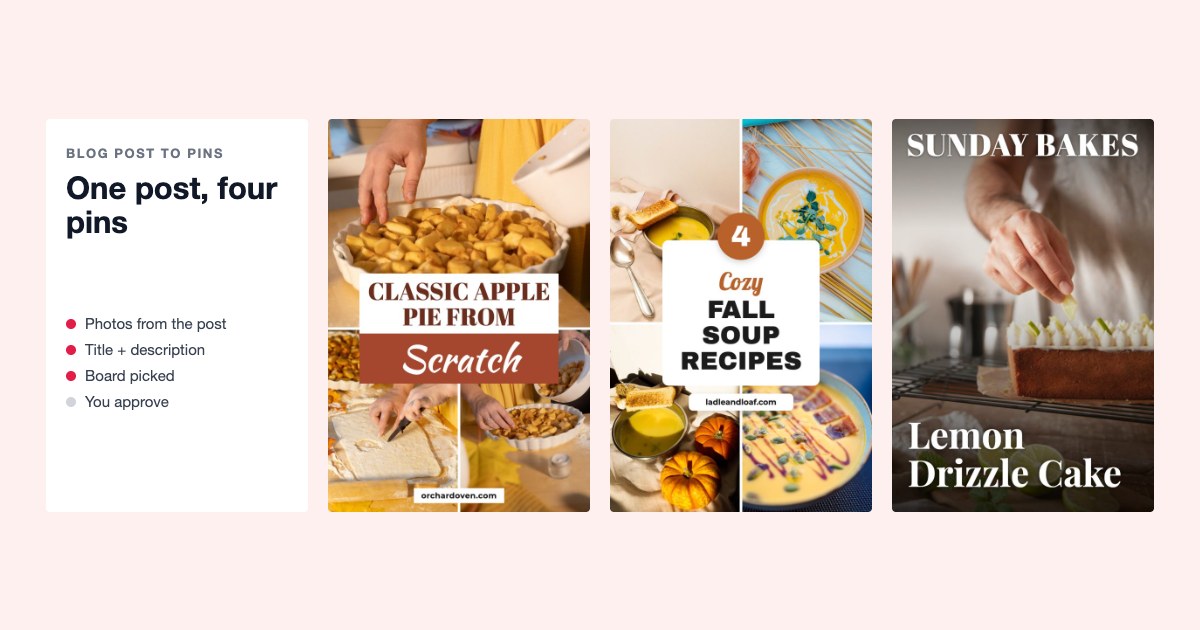
The best way to turn blog posts into pins depends on what you need. For new posts only, Pinterest can post a pin for each one from your RSS feed by itself, at no cost. For a back catalog, use a tool that reads your sitemap and makes several different pins per post: Made to Spark, BlogToPin, Pin Generator, PinBuilds or PinsMachine. For a handful of posts, Canva by hand is fine.
We make one of these tools, Made to Spark. Facts about the others come from their own sites and help pages, last checked on October 22, 2026.
Do this now (10 minutes)
- Open your sitemap (usually yoursite.com/sitemap.xml or /sitemap_index.xml) and count the posts.
- Pick your five best posts by traffic. Those get pins first, whatever tool you use.
- Check each has at least one photo that still looks good cropped tall, at 1000 × 1500. Posts with only a wide header image, or no photos at all, need a different design or a pin drawn whole by AI.
- In Pinterest, check your website is claimed (Settings → Claimed external accounts). The RSS option below needs it.
- Paste one of your five posts into a link-to-pin tool and look at what comes back before you commit to anything.
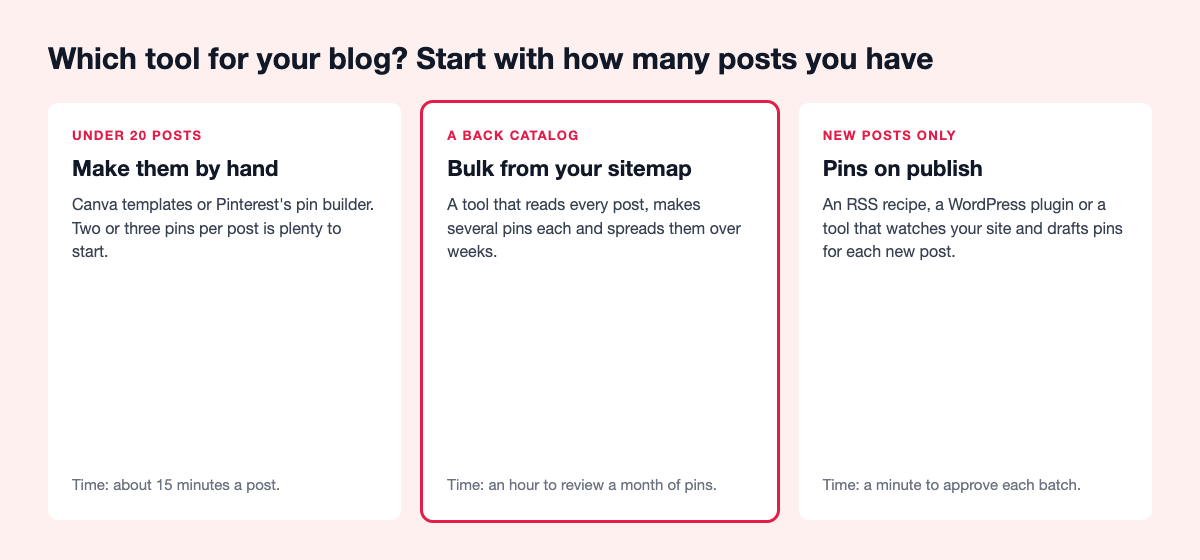
How we compared them
We read each tool's own pricing and help pages and asked the same five things: does it read your whole site, how many different pins per post, does it use your photos, does it handle new posts, and do you approve pins before they post. We also used our own numbers from about 3,700 top pins across 46 accounts (February to October 2026; the sample favors winners). Where a tool's site doesn't say, we say "not stated". We left out tools built mainly for product and affiliate links, such as url2pin; they are in Tailwind alternatives.
Two findings shaped the advice:
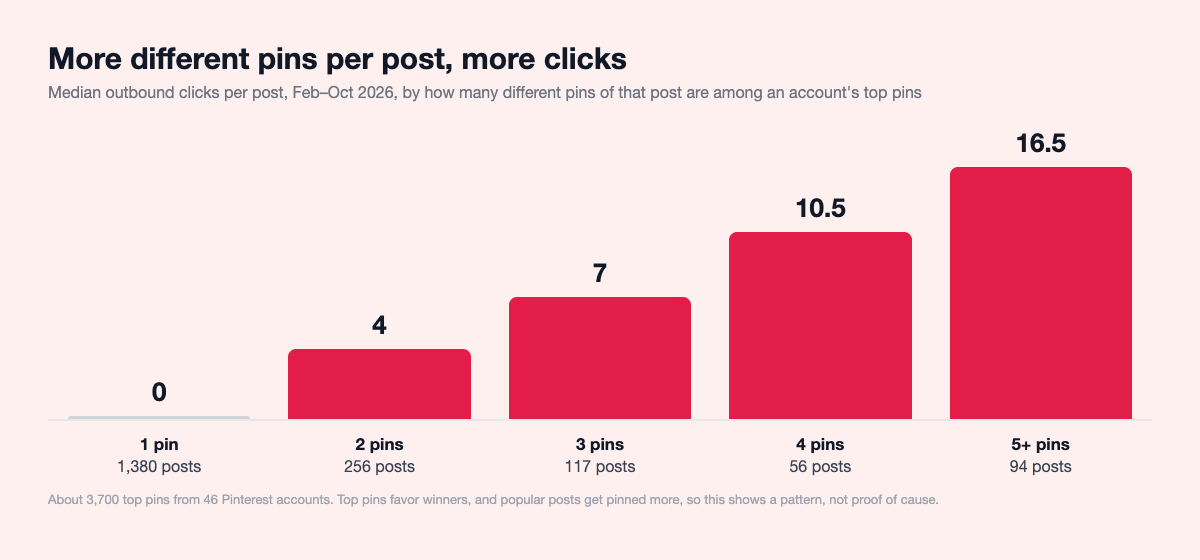
- Several pins per post wins. Posts with one top pin had a median of 0 outbound clicks; two pins, 4; three, 7; four, 10.5; five or more, 16.5. Posts with two or more different pins were 27% of the posts and brought 74% of the clicks. Popular posts get pinned more, so this isn't all cause and effect, but one pin per post leaves clicks behind.
- Old posts keep earning. About six in ten clicks in 2026 came from pins made in earlier years. Pinning your back catalog is worth more than racing to pin today's post. Full tables and method: Pinterest pin data 2026.
For new posts: options that run on their own
Pinterest's RSS auto-publish
Built into Pinterest business accounts with a claimed website. Add your RSS feed, choose a board, and Pinterest makes a pin for each new post within about a day, up to 200 a day, using the image, title and description from your feed. It takes RSS feeds, not Atom.
Best for: every blog, as a baseline. Watch out: one pin per post, from whatever image your feed carries, often the wide featured image.
Tailwind SmartPin
Point SmartPin at your blog's RSS feed and Tailwind checks it daily, then makes a fresh pin for each link every 7 days, which you review before it posts.
Best for: bloggers already on Tailwind. Watch out: it uses Tailwind credits, and scheduling each pin uses one credit too. Made to Spark vs Tailwind, or every Tailwind alternative compared.
WordPress plugins, IFTTT and Zapier
Auto-post plugins pin your featured image with your post title when you hit Publish. IFTTT and Zapier recipes do the same from your feed, as long as your feed includes the image. Tasty Pins is different: it adds a separate Pinterest image, title and description to each post, so readers who save from your site save the right pin. None of these makes new images.
Best for: covering new posts with no extra effort. Watch out: a wide header image makes a weak pin.
For a back catalog: tools that read your site
Made to Spark
Ours. Paste one post, or connect your blog and tick the posts you want. Each post gets up to four different pins built from its own photos in designer templates, with title, description, alt text and a board picked from your account. Paste a post with few or no photos and you can get a Designed pin instead: a fun pin drawn whole by AI, with every word lettered in and checked, for 1 credit. On Solo and Growth you approve a whole batch and it's spread over 30 days through Pinterest's official API. Auto Pin, also on Solo and Growth, drafts pins for new posts and older ones in rotation; approve them on a review day, or let it run automatically. It also works inside ChatGPT and Claude: make and schedule pins by chatting.
Best for: blogs with a back catalog and good photos. How it counts: a plan; template pins don't use credits (up to 300–1,200 a month, by plan), AI pins do. Doesn't do: video pins. See bulk pins.
BlogToPin
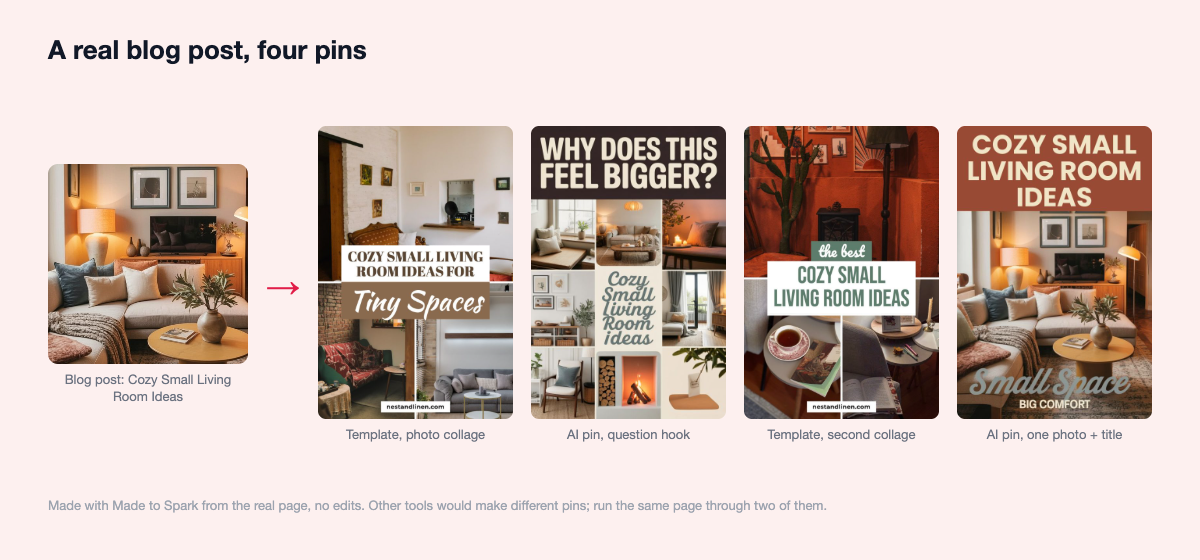
Give it a list of pages and it makes pins from your site's photos, collages, stock or AI images, writes copy, picks boards and schedules. You can edit pins before they're scheduled.
Best for: collage-style pins from photo-heavy posts. Watch out: plans cap pins per day, and making pins for new posts on its own is only on the top plan.
Pin Generator
Takes a link or sitemap, makes template or AI pins with AI copy, and schedules. Pins from new posts by RSS are in beta, and it has a WordPress plugin.
Best for: people who want RSS and sitemap in one tool. Watch out: everything is in credits, and an AI image costs 12 to 24 times a template pin. Compared with Made to Spark.
PinBuilds
Sitemap in, pins and infographics out, with a review queue, a guard against pinning the same post too often, and WordPress automation for new posts.
Best for: how-to posts that suit infographics. Watch out: sold by pins a month; its site doesn't say whether it uses your own photos.
PinsMachine
Paste post links in batches. It puts text on your blog photos or makes AI images, writes the copy, and posts to your boards or gives you a spreadsheet for Pinterest's bulk upload.
Best for: people who'd rather upload a spreadsheet than connect their account. Watch out: one credit per standard pin, three per AI pin.
Canva and Pinterest's bulk upload, by hand
Make pins in Canva (Bulk Create helps if you fill in a spreadsheet first), then upload up to 200 at once through Pinterest's bulk create on desktop, each with a publish date. In our experience about 15 minutes a post when done one at a time.
Best for: a new blog with under 20 posts.
What users say
From public reviews on Trustpilot, G2, Reddit and the Shopify App Store, read in October 2026. Most newer tools, ours included, have too few independent reviews to sum up.
- Tailwind: a blogger on Reddit credits scheduling 12 to 15 pins a day with Tailwind for 3,800 visits; the same thread criticizes its auto-made designs. The most repeated complaint on review sites is renewals charged without warning.
- Pin Generator: well rated on the Shopify App Store for bulk creation; one WordPress.org review reports a Pinterest suspension after a fast ramp to 10 to 12 pins a day.
- Tasty Pins: praised for Pinterest-specific descriptions inside WordPress and hidden pin images; it's WordPress only and the reviews are mostly on the vendor's own site.
- BlogToPin: the few written reviews praise automatic board matching and quick founder replies, and say setup takes time.
The table
| Option | Reads the whole site | Pins per post | Uses your photos | New posts | You approve first |
|---|---|---|---|---|---|
| Pinterest RSS auto-publish | No | 1 | Feed image | Yes, within a day | No |
| Tailwind SmartPin | From RSS | New one every 7 days | Yes | Yes | Yes |
| Plugins, IFTTT, Zapier | No | 1 | Featured image | On publish | No |
| Tasty Pins | No | Your own | Yes | You add them | Yes |
| Made to Spark | Yes | Up to 4 | Yes, or AI | Auto Pin drafts | Yes, or let Auto Pin run |
| BlogToPin | List of pages | Several | Yes, or AI | Top plan | Edit before scheduling |
| Pin Generator | Sitemap | Several | Templates or AI | RSS, in beta | Approvals page |
| PinBuilds | Sitemap | Several | Not stated | WordPress | Review queue |
| PinsMachine | Batches of links | Several | Yes, or AI | Not stated | Not stated |
| Canva + bulk upload | No | As many as you make | Yes | By hand | Yes |
Checked on each tool's own pages in October 2026. Features change; check before you decide.
How to choose
- Every blog: switch on Pinterest's RSS auto-publish. It costs nothing and covers new posts.
- Under 20 posts: add a few pins per post by hand. One blog post into a month of pins shows how far one post can go.
- 50 posts or more: a sitemap tool. Run your five best posts through two of them and compare the pins side by side.
- Comparing prices: what 30 pins a week costs on each tool puts the plans side by side.
- Whatever you pick: a steady pace, not a flood. How often to post on Pinterest has the numbers.
Questions people ask
What is the best tool to turn blog posts into Pinterest pins?
For new posts, Pinterest's own RSS auto-publish. For a back catalog, a tool that reads your sitemap and makes several different pins per post from your own photos, such as Made to Spark, BlogToPin, Pin Generator or PinBuilds. Try two on the same five posts before you pay.
Can Pinterest pin my new blog posts automatically?
Yes. A business account with a claimed website can add an RSS feed, and Pinterest makes a pin for each new post within about a day, using the image and title from the feed.
How many pins should I make per blog post?
Three to five, each with a different image and headline, posted days or weeks apart. In our sample, posts with several different top pins brought three quarters of the clicks.
Will automating pins get my account flagged?
Not if the tool uses Pinterest's official login and posts at a steady pace. Tools that ask for your Pinterest password, or post the same image over and over, are the risk.
Are AI-made pins allowed?
Yes. Pinterest may label pins it thinks were made with AI. For a blog post, a pin built from the post's own photo shows readers what they'll find.
The checklist
- Claim your website and switch on RSS auto-publish.
- Count your posts and pick your best five.
- Check each has a photo that works at 1000 × 1500.
- Several different pins per post, posted over weeks.
- Official Pinterest login, and you approve first.