How to Turn One Blog Post Into a Month of Pins
 Paul
Paul
One post, one pin. That's the habit most bloggers have, and it's the reason a good post disappears from Pinterest in a day.
Give the same post four pins instead. Pinterest treats each new image as fresh content, each design reaches a different search, and four pins spaced a week apart keep one post working for a month.
Below is one post taken from start to finish, then the same thing for a whole archive.
Do this now (20 minutes)
- Pick one evergreen post that already gets a bit of traffic and has at least two decent photos.
- Write four titles for it using the four angles below.
- Make one pin per title and schedule them seven days apart, each to a different board.
Why one post needs several pins
- Freshness. Pinterest favors images it hasn't seen before. A new pin for an old post counts as new content; re-pinning the same image doesn't.
- Different searches. "Sheet pan dinners" and "30-minute weeknight meals" are different queries with different pinners. One title can't rank for both, but two pins can.
- Different boards. Each pin goes to a board where its angle fits, which is another reason for Pinterest to show it.
- Time. Four pins a week apart give the post a month of exposure. Four pins on the same day give it one.
The math is simple: four pins per post, one post a week, and you have a pin every day for a month. Eight posts a month gives you 32 pins.
Step 1: Pick posts worth pinning
Not every post deserves four pins. Start with posts that tick at least three of these:
- Evergreen: still useful in a year.
- Already gets some Google or Pinterest traffic, which means the topic is searched.
- Has two or more photos you'd be happy to see on a pin.
- Makes a clear promise in the title: a number, a time, a result.
- Sells something, directly or through a product you recommend.
Step 2: Four angles for one post
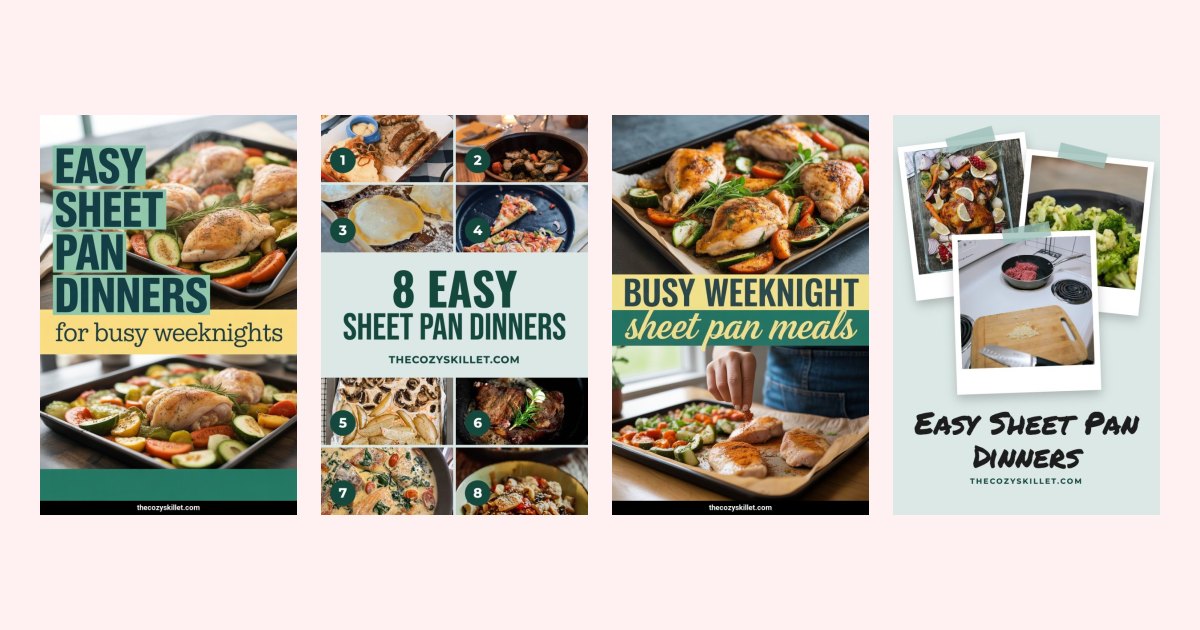
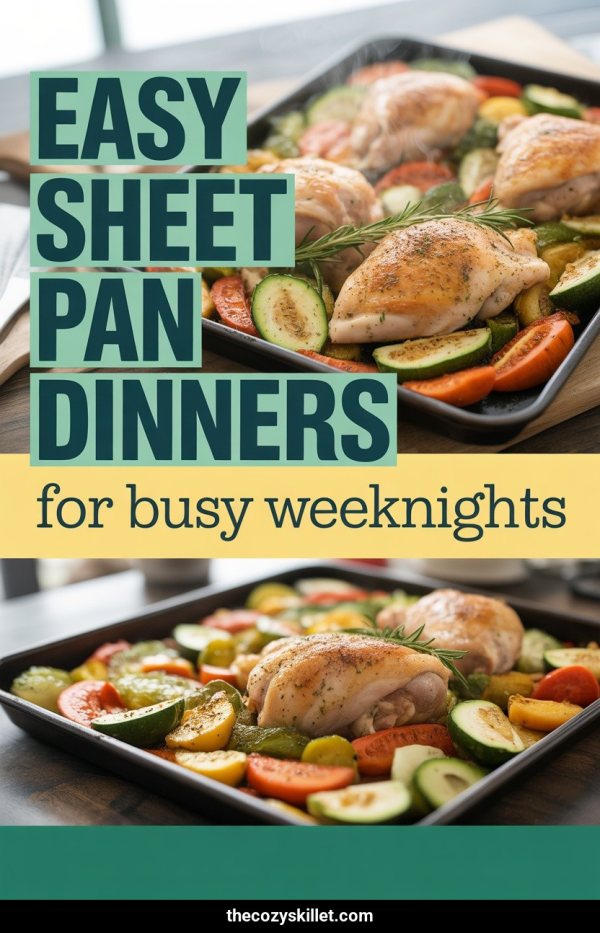
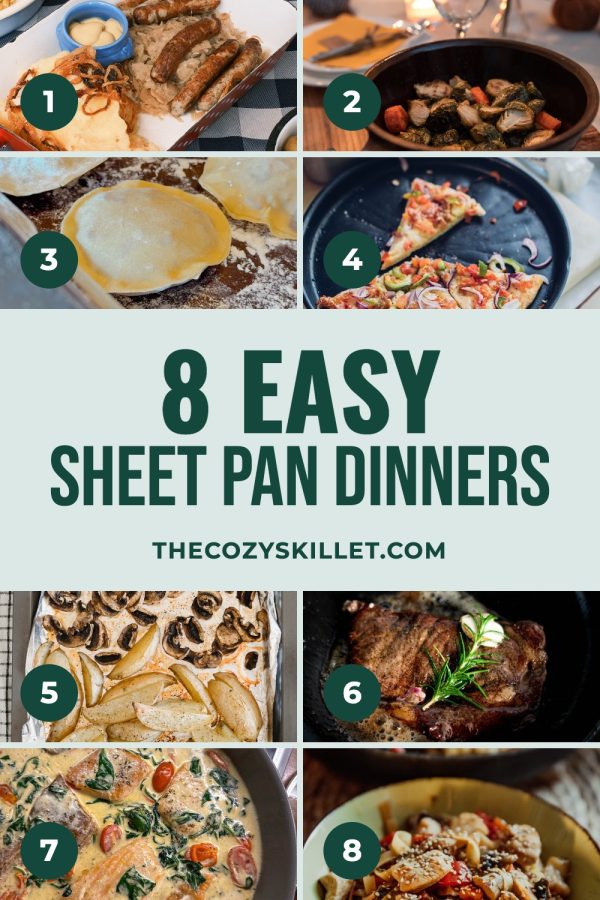
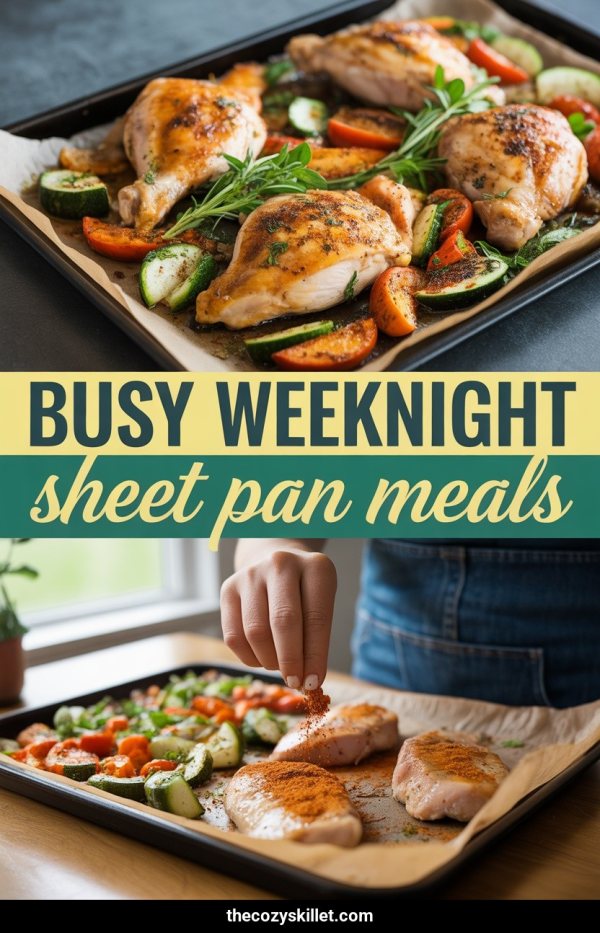
Take an example post, Easy Sheet Pan Dinners for Busy Weeknights, on a demo food blog. These four pins were all made from that one page with Made to Spark, each with a different image, title and layout. Two are template pins that reuse photos from the post; the other two are AI pins with new images, which is the option to reach for when a post's own photos are weak.
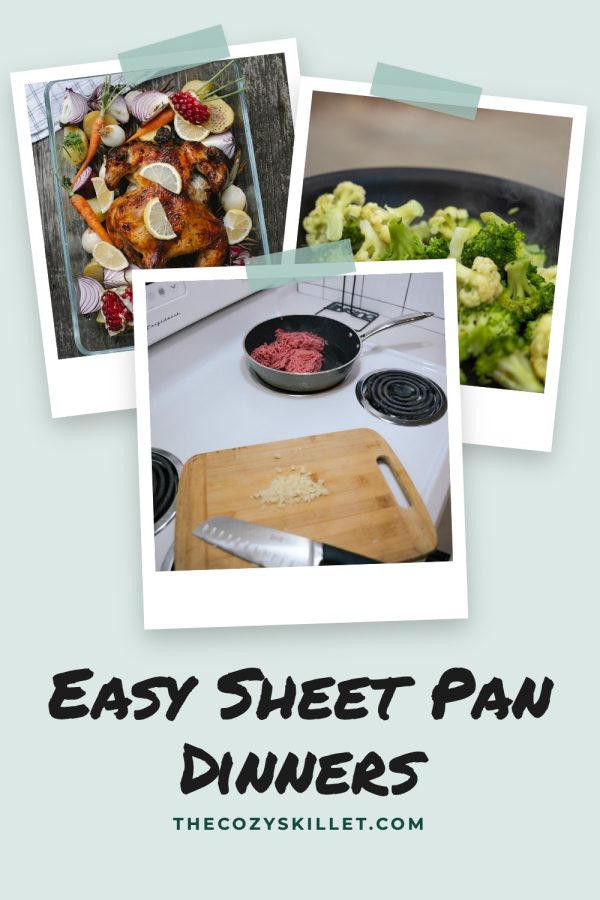
| Angle | Pin title | Why it's different | Board |
|---|---|---|---|
| Main keyword | Easy Sheet Pan Dinners for Busy Weeknights | The exact phrase people search, on the strongest photo | Easy Dinner Recipes |
| The number | 8 Easy Sheet Pan Dinners | Shows the eight dishes, so the number is believable | Weeknight Meals |
| The situation | Busy Weeknight Sheet Pan Meals | Leads with the problem ("busy weeknight"), a different search | Quick Meals |
| The mood | Easy Sheet Pan Dinners | Soft, scrapbook look for lifestyle and home-cooking boards | Cozy Home Cooking |
The four descriptions, each about 150 characters with the keyword near the start:
- Easy sheet pan dinners for busy weeknights: eight recipes that go from fridge to oven in ten minutes and need one pan to clean.
- Eight easy sheet pan dinner recipes you can make tonight, from lemon chicken to sausage and peppers. Prep once, bake, done.
- Busy weeknight sheet pan meals for nights when you have no time. One pan, simple ingredients, almost no washing up.
- Easy sheet pan dinners for cozy nights in. Eight simple recipes, one tray, and a kitchen that stays clean.
The photo layouts above are from our food blogger Pinterest templates; the same four angles work with the collage templates for travel, home and roundup posts.
Step 3: Title formulas you can reuse
Ten formulas, each with the sheet pan post filled in. Swap in your own topic.
- [Number] [Topic] for [Situation]: 7 Sheet Pan Dinners for Busy Weeknights
- [Time] [Topic]: 30-Minute Sheet Pan Dinners
- [Topic] You Can Make Tonight: Sheet Pan Dinners You Can Make Tonight
- Easy [Topic] ([Benefit]): Easy Sheet Pan Dinners (One Pan, No Mess)
- [Topic] for [Audience]: Sheet Pan Dinners for Picky Eaters
- The Best [Topic] for [Season]: The Best Sheet Pan Dinners for Fall
- How to [Result] with [Topic]: How to Meal Prep a Week of Sheet Pan Dinners
- [Topic] Under [Constraint]: Sheet Pan Dinners Under $10
- [Adjective] [Topic] Everyone Asks For: Cozy Sheet Pan Dinners Everyone Asks For
- [Topic]: [Number] Ideas + Shopping List: Sheet Pan Dinners: 7 Ideas + Shopping List
And ignore the advice about hashtags while you're here. Pinterest is a search engine, not Instagram. A row of hashtags does nothing that the words in your title and description aren't already doing better.
Put the searched phrase in the first few words. Pinterest allows 100 characters in a title, but says only "the first 40 characters may show in people's feeds". To see which phrases people type, use the Pinterest keyword tool, which shows real Pinterest search suggestions.
Step 4: Spread them over 30 days
Pins from the same post should go out at least a week apart, to different boards. Here is a schedule for one post that you can copy into any scheduler:
| Day | Pin | Board |
|---|---|---|
| Day 1 | Main keyword | Easy Dinner Recipes |
| Day 8 | The number | Weeknight Meals |
| Day 15 | The situation | Quick Meals |
| Day 22 | The mood | Cozy Home Cooking |
Add a second post starting on day 2, a third on day 3, and so on. With eight posts you have a pin almost every day, none of them repeats, and each post gets a month of coverage. If you're pinning by hand, batch it: make all the pins for the week in one sitting and schedule them with a Pinterest scheduler rather than remembering to post daily.
Step 5: Do it for your whole archive
Doing this by hand for one post takes about 20 minutes. For a hundred posts it's a job nobody finishes. That's what bulk pins is for: paste your site address, and Made to Spark reads your sitemap and lists your posts. Tick the ones you want, choose one to four pins per page, and each pin gets its own image, layout, title and description. Approve the batch and the pins are spread across the next 30 days automatically, with pins from the same page at least a week apart. You can move or remove any pin before it goes out.
Template pins use the photos already on your page. If a post has weak photos, such as a guide or roundup, switch to AI pins for that batch and new images are made for it.
The short version
- Post is evergreen, has photos and makes a clear promise.
- Four angles: keyword, number, situation, mood.
- Four different images or layouts, not one image with four titles.
- The searched phrase within the first 40 characters of the title.
- Descriptions around 150 characters, keyword near the start.
- Pins a week apart, each to a different board.
- Scheduled, not posted in one go.