Paste a link in your chat. About a minute later, finished pins in your brand appear right in the conversation, titles and descriptions written. Say “schedule them” and they’re on your boards.
Included in every plan. Plans start at $12 a month. 7-day trial · No credit card required.

Make a pin from each of these 3 recipe links
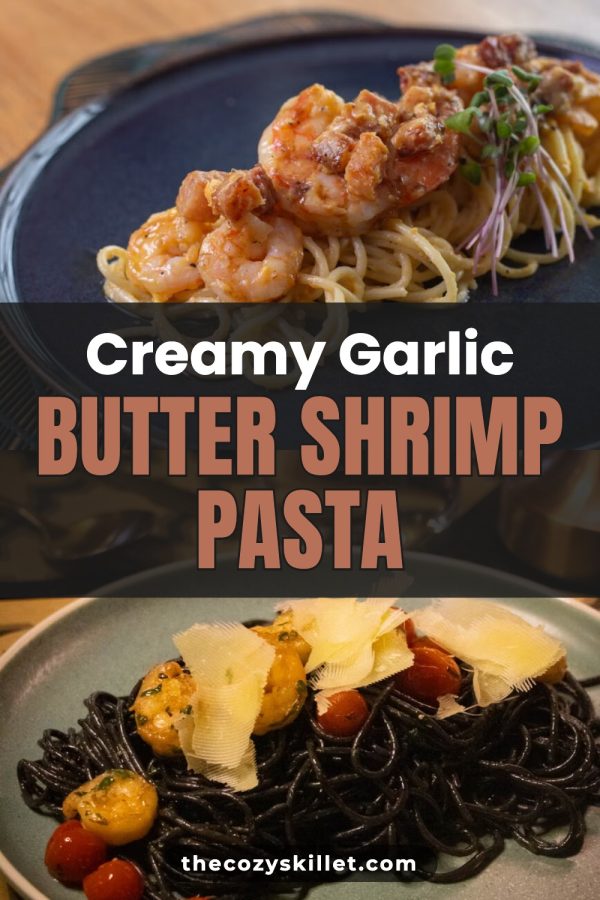
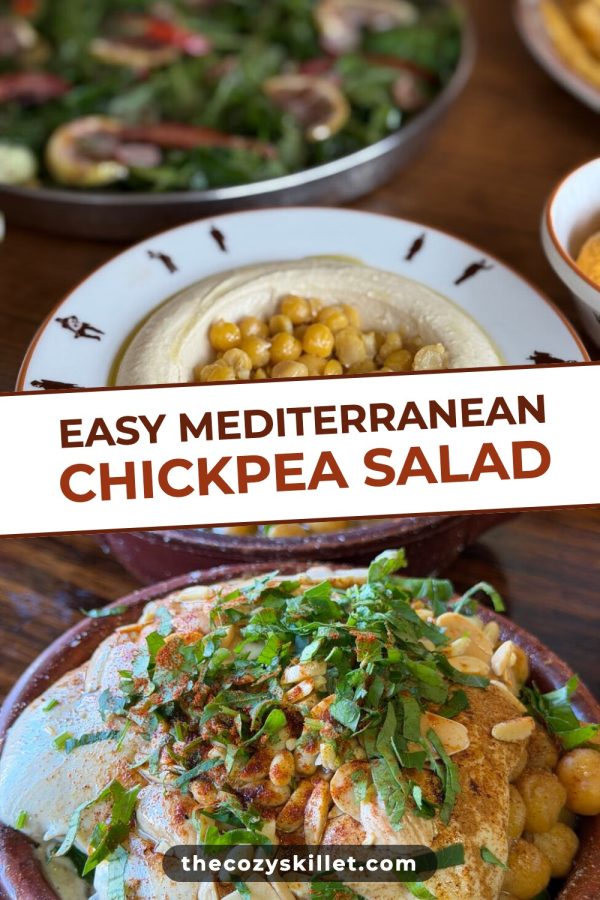
Done: 3 pins in your brand colours, made from each post’s own photos.
Your new pins
Saved as drafts. Nothing posts until you schedule it.
Make 3 pins for each of my posts about Italy
I found 12 posts about Italy on your site. Here’s the plan:
Pins for 12 posts
Waiting for your OKSchedule them on my Recipes board from Monday
Scheduled. They post from Made to Spark, so you can close the chat.
Scheduled to Recipes
3 pinsMon 2 Nov
12:30 · Recipes
Tue 3 Nov
12:30 · Recipes
Wed 4 Nov
12:30 · Recipes
Make new pins every week for my Peru posts
Here’s the plan. Auto Pin keeps it going by itself after that.
New pins every week for 8 posts
Waiting for your OKWhat should I fix on my Pinterest profile?
I checked @myblog. Start with these three:
1. Put your topic in your display name
People search for “easy recipes”, not your blog name, so say what you post about.
2. Claim your website
Your name and profile then show on pins from your site, even ones other people save.
3. Rename 4 boards to what people search
“Yum!!” tells Pinterest nothing. “Easy Weeknight Dinners” does.
Which pins got the most clicks this month?
Visits to your site, last 30 days:
1. Creamy Garlic Butter Shrimp Pasta
412 visits · 96 saves · board Recipes
2. Fluffy Lemon Ricotta Pancakes
287 visits · 140 saves · board Breakfast
3. Easy Mediterranean Chickpea Salad
198 visits · 61 saves · board Salads
Works in ChatGPT Claude Claude Code Cursor Any MCP agent
A Pinterest MCP connects an AI assistant like ChatGPT or Claude to your Pinterest. With Made to Spark, you paste a link in the chat and it reads the page, makes finished pins in your brand, writes the title, description and alt text, and schedules them to your boards when you say so.
Most Pinterest MCP servers deliver what you give them: a finished image, a title and a board. Made to Spark starts from a link and does the work in between.
| What it does | Most Pinterest MCP servers | Made to Spark |
|---|---|---|
| Posts and schedules pins to your boards | Yes | Yes |
| Makes the pin images for you | Usually not: you bring a finished image | Yes, from your link |
| Reads your page for photos, title and words | No | Yes |
| Uses your brand colours | No | Yes |
| Finds your posts about a topic | No | Yes |
| New pins every week, on autopilot | No | Yes |
| Checks your Pinterest profile | No | Yes |
| Shows which pins bring visits | Some | Yes |
Plain words work. Each reply names the workspace and Pinterest account it used, so you always know where your pins will go.
Editing a pin’s design and setting up Auto Pin stay in the Made to Spark app.
One address works in every assistant. Prefer screenshots? Follow the step-by-step guide.
https://madetospark.com/mcp
On Claude’s paid plans (Pro, Max, Team).
In Claude Code, run this and type /mcp to sign in:
claude mcp add --transport http made-to-spark https://madetospark.com/mcp
Cursor and other agents: add the address in their MCP settings. Scripts and servers can use an API key from Settings (paid plans).
New pins wait in My Pins. They go to Pinterest only when you ask to schedule them.
Big jobs show the plan and what it uses, and start only after you agree.
The assistant signs in to Made to Spark. It never sees your Pinterest password.
See every connected assistant in Settings and remove any of them in one click.
The chat uses the Made to Spark you can try in the app: same designs, same copy, same scheduler.
“I had tried a ton of tools to create pins but none match the quality of pins made by Made to Spark. One very impressive thing when using this tool is how quick Paul helps when I need help with an extra feature or get stuck using the tools. His support when using this tool is second to none.”
Daisy K
Fashion Blogger
“Hi my name is Linda and I am an Amazon Associate posting pins to Pinterest. Madetospark is an awesome product. Very intuitive to use, and trust me I am not the smartest cookie in the bunch. However, Paul has been an amazing help. If you are in doubt, I would definitely recommend Madetospark to anyone who is generating pins.”
“It turns what is usually a time-consuming, fragmented process into a smooth and efficient system. It empowers me to focus on strategy and creativity instead of execution…”
Rosa Murcia
Pinterest Marketing & Digital Marketing for Creatives
MCP (Model Context Protocol) is the standard way AI assistants like ChatGPT and Claude use other apps. A Pinterest MCP lets the assistant work with your Pinterest account from the chat: make pins, put them on boards and schedule them, without you opening another tab.
Most Pinterest MCP servers post a pin you already made: you bring the image, the title and the board. Made to Spark makes the pin. Give it a link and it reads the page, picks the photos, designs the pins in your brand and writes the words, then schedules them when you ask.
No. In ChatGPT or Claude you add Made to Spark once, sign in and click Allow. After that you just ask in plain words, like "Make 3 pins from this post".
No. New pins are saved as drafts in My Pins. Nothing goes to Pinterest until you ask the assistant to schedule them, and ChatGPT asks your permission before it does.
Adding a custom connector depends on your plan with them. On Claude it works on the paid plans (Pro, Max and Team). In ChatGPT you add it under Plugins as a custom MCP server.
Every Made to Spark plan, and the 7-day trial with smaller limits. Making pins for many posts at once is on the Solo and Growth plans. New pins every week on autopilot comes with Auto Pin, on the Solo and Growth plans. API keys for your own agents are on paid plans.
Yes. Claude Code, Cursor and other agents sign in the same way. For a script or a server that cannot open a browser, create an API key in Settings and send it as a header. API keys are on paid plans.
The assistant signs in with your Made to Spark login, never your Pinterest password. You can see and disconnect every connected assistant in Settings at any time, and changing your password disconnects them all.
The same as in the app. Template pins are included in your plan. When your plan’s pins run out, the assistant asks before it uses any credits.
Connect Made to Spark once, then make, check and schedule your Pinterest pins from the chat you already use.
Connect ChatGPT or Claude7-day trial · No credit card required. See pricing