Start from a client's page URL, the client's own photos, or a topic like “handmade ceramic mugs”. Made to Spark designs the pins, writes the title, description and alt text, and publishes or schedules them to Pinterest when you are happy.
7-day trial · No credit card required. Plans start at $12 a month.
By Paul, founder of Made to Spark · Last updated Oct 22, 2026
Real pins made with Made to Spark. Tap any pin to see it up close.
Your own photos, title, brand colors and website in Canva-style layouts. Template pins don't use AI credits.
Morning Routine for Focus
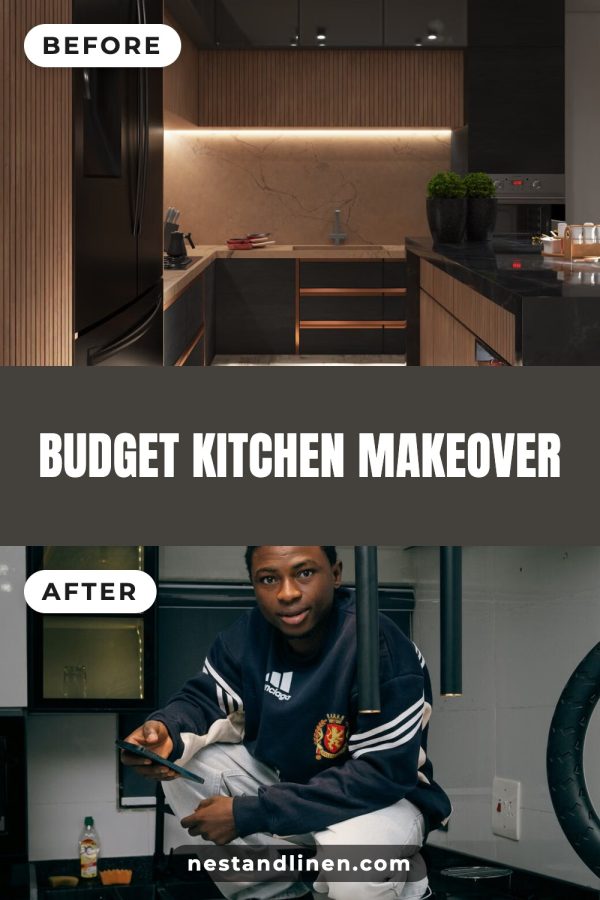
Budget Kitchen Makeover
DIY Macrame Wall Hanging
Fluffy Lemon Ricotta Pancakes
No photo needed. Type a topic or paste a page and get a brand-new image with your headline on it.
Meal Planner Printable Plus Grocery List
Watercolor Painting Course For Beginners
Modern Farmhouse Kitchen Decor
Goal Setting You Actually Keep
Paste a link, upload photos or type a topic. You get finished pins with the copy written, ready to publish or schedule.
Create your account7-day trial · No credit card required.
For Pinterest managers and virtual assistants, Pinterest marketing means turning each client's blog posts, products, and services into vertical pins that people find in Pinterest search and save to their boards, with each pin linking to the page it describes. Made to Spark handles the design and the pin copy, so the part left to you is choosing what to pin.
Each client gets a workspace with its own Pinterest account, brand colors and brand name, so pins never mix between clients.
Paste a client's post or product URL and get several pin designs with title, description and alt text written from that page.
Paste a client's site, tick the pages, and get up to four different pins for each, spread across the next 30 days. Included on Solo and Growth.
Bulk pins land in Pending pins first. You check and edit them, or download them to show the client, before anything is scheduled.
Approved pins go to the right client's connected Pinterest account, now or on a schedule. The daily pin limit is shared across all your workspaces.
Every pin uses the client's colors and site name, so the client's pins look like the client's.

Paste a client's page URL, upload the client's own photos, or type a topic.
Choose a brand-new AI image or a designer template. Your brand colors and website go on every pin.
Edit the title, description, alt text and link, then publish now or add the pins to your schedule.
Ask for their top 10 posts or best-selling products and pin those first. Pages with proof convert faster than new ones, and early results keep a client.
Colors, site name and tone go into the client's workspace on day one, so every pin after that looks on-brand without extra work.
Make a month of pins in one sitting, review them in Pending pins, and schedule. A fixed monthly routine per client is easier to price and to deliver.
Clients care about visits and sales. Lead your monthly report with outbound clicks and the pages that got them, then views and saves.
A gift shop's holiday pins and a food blog's Thanksgiving recipes should go out a couple of months before the date. Put each client's key dates in your plan for the year.
Boards group your pins by topic, so people can follow the ones they care about.
For each client, one board per main product or blog category, named the way their customers search.
Holiday and seasonal boards opened a couple of months ahead, so new pins have a home before searches climb.
The pages that already earn for the client, pinned first and refreshed with new designs.
On your own account: pins you made for clients (with permission), as a showcase for new leads.
On your own account: helpful posts that attract the business owners who might hire you.
On your own account: before-and-after results you can share, linked to your services page.
Handmade Ceramic Mugs for Slow Mornings
Easy One-Pan Lemon Chicken Dinner
Small Bedroom Storage Ideas That Actually Work
Beginner Watercolor Course: Paint Your First Landscape
12 Cozy Fall Candles Under $30
| What you are pinning | Pin design | Example title |
|---|---|---|
| A blogger | Photo with a bold title band, plus list grids for roundups | 15 Easy Weeknight Dinners |
| A product shop | Product spotlight with the product name in big words | Handmade Ceramic Mugs for Slow Mornings |
| A course or coach | Clear promise on a clean background | Beginner Watercolor Course: Paint Your First Landscape |
| A digital download seller | The printable or template shown in use | Weekly Meal Planner Printable |
| A local business | Before and after, or a numbered tip list | 7 Small Kitchen Remodel Ideas |
One workspace per client: Solo includes 5 workspaces and Growth includes 15. Each workspace connects its own Pinterest account and keeps its own brand settings.
Yes, a daily limit shared across all your workspaces: 30 scheduled pins a day on Solo and 50 on Growth. Plan your clients' pins within that total.
No. You connect each client's Pinterest account to its own workspace in your account, which takes one sign-in to that Pinterest account, and you make and schedule the pins from there.
A Pinterest manager runs a business's Pinterest account: keyword research, boards, new pins every week, scheduling, and a monthly report on views and clicks to the client's site.
No. Template pins use photos you already have, so they are included in your plan. AI pins create a brand-new image and use one credit each.
Yes. Connect your Pinterest account to publish approved pins right away or schedule them.
Plans start at $12 a month, or about $9 a month billed yearly. Every plan includes pin creation, pin copy and Pinterest scheduling. Larger plans add more AI credits, more pins per day and bulk pin creation.
The numbers and rules on this page, with where they come from. Checked October 22, 2026.
Turn your client pins into on-brand Pinterest pins, then publish or schedule them from one place.
Make client pins7-day trial · No credit card required. See pricing
Turn the client's own photos into one branded Pinterest pin.
Open toolBoard names for a new client account, based on what their customers search.
Open toolTurn a client's Pinterest analytics export into a plain-words report.
Open toolPinterest guides for other niches
Selling on a platform?