Clicky

Pinterest for AliExpress

Turn a product URL or images you own or have permission to use into complete Pinterest pin designs. Generate the creative, title, description, and alt text, review every detail, then publish or schedule from the full workflow.

Free Tool — No Signup Required
|
Paul By Paul, founder of Made to Spark · Updated Sep 11, 2026

Free AI credits on signup. No credit card required.

7,690+ pins created by creators worldwide
Daisy K “None match the quality of pins made by Made to Spark.” — Daisy K, Fashion Blogger

How It Works

1

Add your product

Provide the AliExpress product URL or upload images you own or have permission to reuse.

2

Generate the complete pin

Create a finished design with a title, description, alt text, branding, and destination URL.

3

Review every detail

Check image rights, crop, claims, spelling, disclosure, metadata, price, and destination before publishing.

4

Publish or schedule

Download a single pin, or use a registered account to publish or schedule approved designs to Pinterest.

Turn product details into Pinterest-ready product stories

Start with the no-account tool for one pin, or register for URL-based generation, complete metadata, batch creation, review, publishing, and scheduling.

Start Creating Product Pins Free

Free AI credits on signup. No credit card required.

Why Pinterest Fits AliExpress

Flexible Destinations

Approved affiliates can use a disclosed product link; merchants can send visitors to the matching product page on a store they control.

Complete Metadata Together

Keep the design, title, description, alt text, disclosure, and destination aligned instead of assembling each field separately.

Review Before Publishing

Verify product availability, claims, price, image rights, and the destination URL before each design goes live.

Adapt Authorized Media

Turn your own photography or licensed supplier media into a clear vertical design without removing ownership marks or altering content you cannot legally modify.

Explore Multiple Angles

Create designs for different benefits, use cases, or audiences when the product supports them. Use bulk generation for larger catalogs.

Works for Dropshippers Too

If you sell through your own store, link to your matching product page and keep its images, descriptions, pricing, and shipping information accurate.

The Rules: Pinterest + AliExpress

Affiliate content may be permitted under current platform policies. Review these requirements before publishing.

1. Always disclose

The FTC and equivalent regulators require it on any paid link. Add “#ad” or “affiliate link” to the pin description so the commission is obvious to the reader.

2. Link directly — don't cloak

Pinterest penalises misleading redirects and pins that don't land where they promise. Send the click to the actual product page with your tracking parameters intact.

3. Use only authorized images

Do not copy supplier photos or remove watermarks unless the rights holder has authorized that use. Use your own photography or supplier media licensed for your marketing.

4. Avoid brand-name and lookalike claims

Plenty of AliExpress listings borrow trademarks or imitate designer products. Naming those brands in a pin title is the fastest way to a takedown — describe the product, not the brand it copies.

5. Set expectations on shipping

Use current processing and delivery estimates when shipping affects the offer. Do not imply a delivery date that the seller or carrier cannot support.

This is general guidance, not legal advice. Always review Pinterest's Community Guidelines and the current AliExpress affiliate program terms.

AliExpress Product Categories to Explore

Visual products can offer more creative angles for use cases, collections, and guides. Treat these categories as ideas to test, not promised performers.

Category Story Format Creative Direction
Home Decor & Organization In-context Room makeovers, small-space storage, "aesthetic desk setup" round-ups
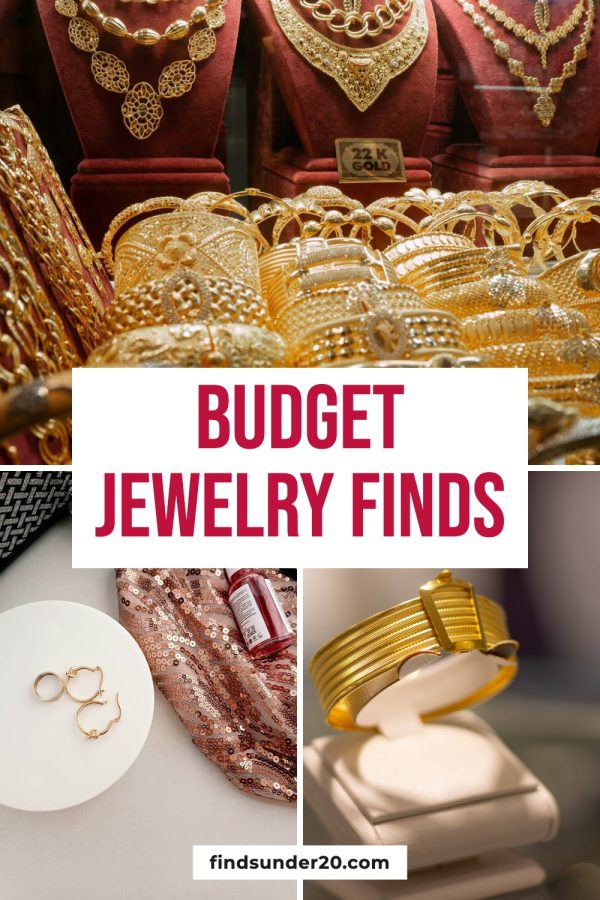
Jewellery & Accessories Styling Stacking guides, "dainty gold finds", gift-for-her round-ups
Party, Wedding & Seasonal Decor Planning Themed party checklists, budget wedding decor, holiday tablescapes
Craft & Hobby Supplies Tutorial "Everything you need to start [hobby]", supply hauls, project tutorials
Fashion & Bags Lookbook Seasonal lookbooks, outfit round-ups — avoid designer-lookalike framing
Phone & Desk Gadgets Use case Desk setups, cable organization, and feature demonstrations
Pet Supplies In-use Pet corner setups, grooming kits, seasonal pet outfits
Components, Tools & Bulk Electronics Technical Clear diagrams, application examples, and verifiable specifications

Use collections when they help the reader

A themed collection can explain how several products work together. Keep every item, image, price claim, and destination current, and avoid arbitrary counts that add no value.

5 Pinterest Strategies for AliExpress Sellers & Affiliates

1. Confirm image rights first

Use your own photography or obtain permission for supplier media before adapting it. Do not treat a public product listing as a license to copy its images.

2. Write titles the way people search

Replace keyword-stuffed listing text with a clear, accurate phrase that describes the product, use case, or outcome without unsupported claims.

3. Build one board per theme, not per haul

Organize related products around a useful theme, such as “Small Apartment Storage,” so the board has a clear purpose.

4. Plan around fulfillment

Prepare seasonal content with enough lead time for the seller's actual processing and shipping estimates, and keep delivery expectations accurate.

5. Keep prices off the image

Prices can vary by promotion, option, country, and time. Only include a price when you can keep it accurate; otherwise, leave it to the destination page.

Frequently Asked Questions

Can I use images from an AliExpress listing?

Only use images you own or have permission to reuse. A product being listed on AliExpress does not automatically grant you rights to copy its photos. Ask the seller or rights holder for permission, use licensed supplier media, or create your own product photography.

Can I create pins from an AliExpress product URL?

Yes. In the registered workflow, provide the product URL and review the extracted details and media before generation. URL import does not grant reuse rights, so only select content you are authorized to use.

Can I post AliExpress affiliate links on Pinterest?

Pinterest permits affiliate content subject to its current policies. Use an approved AliExpress affiliate link, clearly disclose the commercial relationship, avoid deceptive redirects, and confirm the destination matches the pin.

Do I need my own store?

Not necessarily. An approved affiliate may link to the relevant AliExpress product page, while a merchant can link to a product page on a Shopify or WooCommerce store they control. Follow the current terms for every platform involved.

What is available without an account?

The free single-pin tool works without an account. Register to use the full workflow, including URL-based generation, AI-assisted titles, descriptions and alt text, bulk creation, and Pinterest publishing or scheduling.

Should I put a price on the pin?

Only show a price when you can keep it accurate. AliExpress prices may vary by option, promotion, location, and time, so review the current landing page before publishing and update or avoid price claims that could become misleading.

Related Pinterest Tools

More tools for preparing complete Pinterest product pins