How to Find Pinterest Keywords (and Where to Put Them)
 Paul
Paul
Read in: English Español Français Deutsch
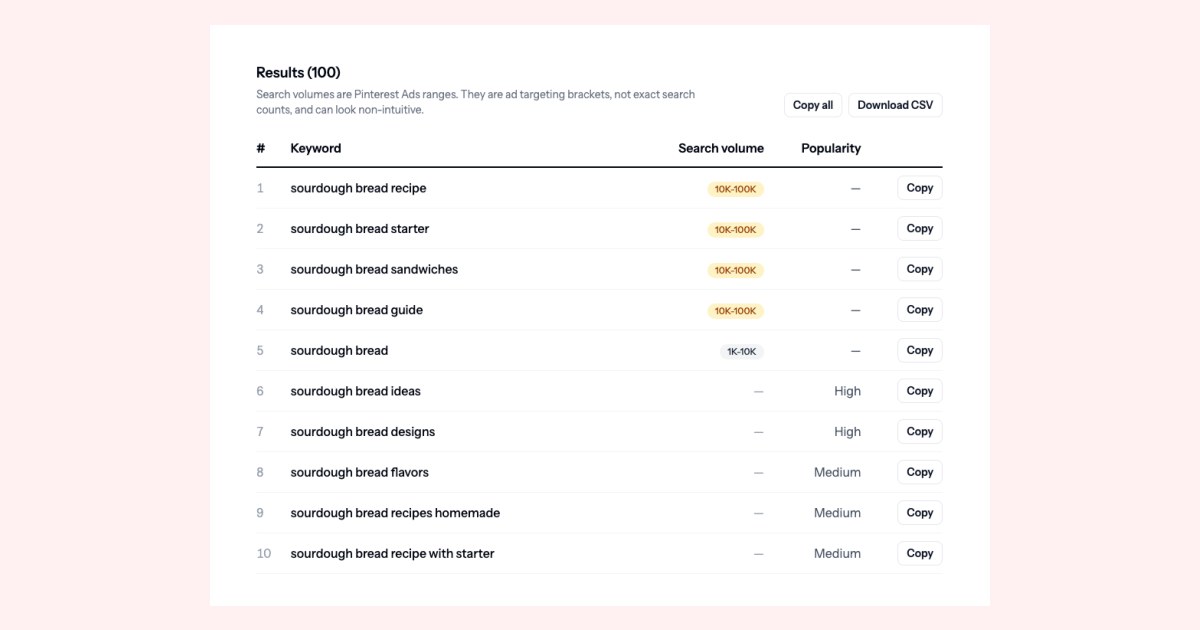
Most people choose Pinterest keywords the way they'd name a folder. A food blogger with a sourdough post types "sourdough bread" into every pin and moves on.
In September 2026 we ran "sourdough bread" through our keyword tool and got 100 real Pinterest searches back. Sourdough bread with no Dutch oven. At high altitude. A bread bag pattern. A Christmas gift loaf. Each one is a different person looking for a different thing, and a pin titled "sourdough bread" matches none of them exactly.
That's the case for keyword research on Pinterest: your topic is one word, but the searches are about what people want from it. Here's how to find those searches and exactly where each one goes.
Do this now (15 minutes)
- Pick one post or product and write down the two or three words you'd use to describe it. That's your seed.
- Run the seed through the Pinterest keyword tool, or type it into Pinterest's search bar and write down every suggestion.
- Choose one phrase for the pin title, two or three for the description, and one for the board. The rest of this guide explains how to choose.
Step 1: Get the full list, not the first five
Start typing in Pinterest's search bar and it suggests searches before you finish. Those are the searches Pinterest itself offers to people, which makes them the closest thing you'll get to a list of what people actually type. They cost nothing.
The catch is that you only see a few at a time. To get the rest, use the alphabet: type your seed, a space and the letter "a", and note what comes up. Then "b", then "c", all the way to "z". "Sourdough bread b" turns up bowls, breakfast recipes and a bag pattern. "Sourdough bread h" turns up a hydration chart, high altitude and Halloween.
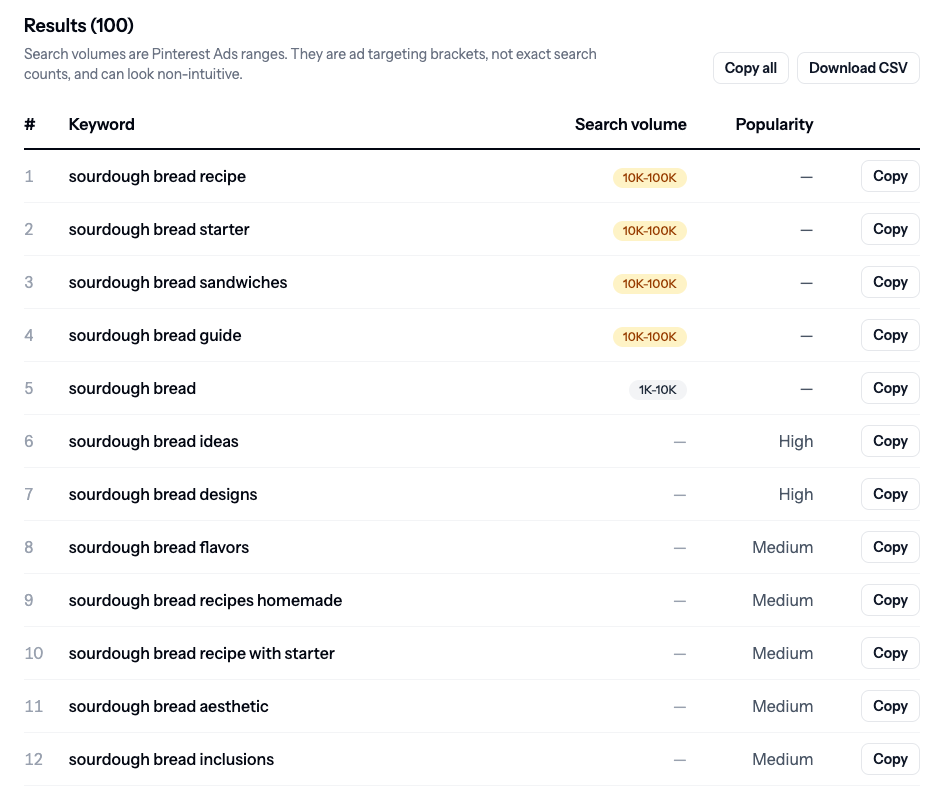
By hand, that's 27 searches for one seed. The keyword tool runs all 27 at once, drops duplicates and anything that doesn't contain your seed words, and adds Pinterest's own search volume where it has one. For "sourdough bread" it returned 100 keywords, the most it shows:
Step 2: Read the numbers properly
- Volumes are ranges, not counts. They come from Pinterest Ads, which groups monthly searches in the United States into brackets such as 1K–10K and 10K–100K. A keyword at 10K–100K could be searched 11,000 times or 90,000 times. Use them to compare keywords, not to predict traffic.
- Broad terms can look smaller. "Sourdough bread" came back a bracket below "sourdough bread recipe". That doesn't mean fewer people type it. Pinterest's figures are ad targeting brackets, not raw search counts, and very broad terms often come out low. Compare keywords with each other; don't read the numbers as fact.
- No volume doesn't mean nobody searches it. Most suggestions come back without a range, because Pinterest's ad data has none for that phrase. Those get a High, Medium or Low label instead, based on how prominently Pinterest suggests them. A High suggestion with no volume is still a search real people make.
Step 3: Sort the list by what you sell
This is the part most keyword guides skip. The same 100 keywords serve completely different people. Here's a slice of the real list, split three ways.
If you're a food blogger
- sourdough bread recipe with starter
- sourdough bread no dutch oven
- sourdough bread high altitude
- sourdough bread hydration chart
- sourdough bread for beginners
Each one is a recipe or a step-by-step post in its own right.
If you sell on Etsy
- sourdough bread bag pattern
- sourdough bread embroidery
- sourdough bread gift packaging
- sourdough bread gift basket ideas
- sourdough bread holder
Bread bags, patterns, gift sets and kitchen decor. None of these people want a recipe.
If you're an affiliate
- sourdough bread kitchenaid mixer
- sourdough bread essentials
- sourdough bread bag
- sourdough bread basket
Gear roundups and "what you need to start" lists, where every item carries a link.
The point: a bread bag seller who pins under "sourdough bread recipe" is competing with every food blogger for people who want to bake, not buy. "Sourdough bread gift packaging" is a smaller search, but nearly everyone typing it wants what that seller makes.
Match the keyword to what's on the page. Pinterest's own advice is blunt about it: "Make sure the images, text, and keywords in your Pin match the details in the landing page." A pin that promises a recipe and lands on a shop listing gets the click and loses the person.
Step 4: Mark the seasonal ones
Seasonal searches show up in the list out of season. In September, the sourdough list already had Christmas, Christmas gift, Easter, Easter design and Halloween versions. Put those on a separate list and pin them well before the season, because Pinterest says a pin can gain engagement "hours, days, months, or even years after it's first published". A Christmas pin published in December is already late. The Etsy 30-day plan covers how far ahead to go.
Step 5: Put each keyword in the right place
Pinterest's help center lists where keywords belong: "your Pin title, Pin descriptions, board titles, board descriptions and website URL". Here's what goes in each:
| Where | What goes there |
|---|---|
| Pin title | One main phrase, at the very start. Pinterest allows 100 characters but says only the first 40 may show in feeds. |
| Pin description | Two or three related phrases, written as normal sentences. Pinterest allows up to 800 characters. |
| Board title | The broad phrase a searcher would type: "Sourdough Bread Recipes", not "Carb Life". |
| Board description | A sentence or two that uses the related phrases. |
| Page URL | The phrase in the slug: /sourdough-bread-no-dutch-oven/, not /post-1432/. |
One detail about descriptions changes how you should write them. Pinterest says they "do not appear when viewing the Pin in the home feed or search feed". People scrolling never see the description; they see it only after opening the pin. So the description's first job is telling Pinterest what the pin is about, and its second is convincing the person who opened it. A comma-separated list of keywords does the first badly and the second not at all.
A worked example
A demo post, Sourdough Bread for Beginners, No Dutch Oven Needed, uses four keywords from the list.
| Field | What we'd write |
|---|---|
| Pin title | Sourdough Bread for Beginners (No Dutch Oven) |
| Pin description | Sourdough bread for beginners, baked without a Dutch oven. A simple loaf on a baking sheet, with a hydration chart, high-altitude timings and a night-before schedule for your starter. |
| Board | Sourdough Bread Recipes |
| Board description | Sourdough bread recipes for beginners: starters, sandwich loaves, sourdough French toast and bread with no Dutch oven. |
| URL | /sourdough-bread-no-dutch-oven/ |
That one post has more to give. Its hydration chart is a keyword in its own right, so a second pin titled Sourdough Bread Hydration Chart, Explained goes to a baking tips board a week later. Different keyword, different image, different search. One blog post into a month of pins shows how to take that to four pins per post.
The same approach for a shop listing, a handmade linen bread bag:
| Field | What we'd write |
|---|---|
| Pin title | Linen Sourdough Bread Bag: A Gift for Bread Bakers |
| Pin description | A linen sourdough bread bag for storing a fresh loaf. A thoughtful gift for the baker in your life, and an easy way to finish a gift basket: add a loaf, a jar of starter and a bread knife. |
| Board | Sourdough Gift Ideas |
If you sell on Etsy, your listing tags are keyword research you've already done. When Made to Spark makes pins from an Etsy listing, it writes the pin title and description from the listing's own description and tags.
Mistakes that waste good keywords
- One keyword on every pin. Ten pins titled "Sourdough Bread" compete with each other for one search. Give each pin its own phrase from the list.
- Keyword stuffing. A description that is only keywords reads like spam to anyone who opens it.
- A keyword the page doesn't deliver. If the pin says "for beginners", the page needs to be for beginners.
- Chasing volume over fit. A 10K–100K keyword for the wrong buyer is worth less than a Low one for the right buyer.
- Never going back. Pinterest's own advice is to "review previously published Pins to include relevant keywords". Your old pins can still be edited, and your boards can still be renamed.
Before you pin
- A seed written down for the post or product.
- The full list pulled, either with the alphabet method or the keyword tool.
- Keywords picked for what you sell, not for the biggest number.
- Seasonal keywords set aside to pin early.
- One main phrase in the title, in the first few words.
- Two or three related phrases in the description, in real sentences.
- Board title and description written the way people search.
- The page actually delivers what the keyword promises.