Pinterest Automation: What's Safe and What Gets Accounts Suspended
 Paul
Paul
Read in: English Español Français Deutsch
"Pinterest automation" means two very different things. One is a scheduler that posts the pins you approved, through Pinterest's official connection, at the times you chose. The other is a bot that logs in as you and clicks: saving, following, commenting, hundreds of times an hour. Schedulers are normal. Click-bots get accounts closed.
This guide draws the line where Pinterest draws it, then covers the part the rules don't spell out: even approved tools can get you flagged if they post too much, too fast, or all the same thing.
Do this now (10 minutes)
- Open your Pinterest settings and look at the apps connected to your account. Remove anything you don't recognize or no longer use.
- Delete any browser extension that saves, follows or comments for you.
- Check your last 30 days of pins. If the same image appears more than twice, that's the first thing to stop.
What Pinterest's rules actually say
The spam section of Pinterest's community guidelines is short. The lines that matter for automation:
- "Don't use automation that hasn't been explicitly approved by Pinterest." The guidelines describe this as "unauthorized services that automatically perform actions on your behalf".
- Don't "create or save content that is repetitive, deceptive, or irrelevant in an attempt to make money".
- Don't "operate multiple accounts or coordinate with other people with the purpose of manipulating the Pinterest platform".
- No "buying or selling engagement", no "stuffing" irrelevant keywords, no "generating inauthentic traffic".
- Don't "attempt to evade our anti-spam systems".
"Explicitly approved" is the key phrase. Pinterest has an official API, and tools that use it had to apply for access and agree to Pinterest's terms. You can tell: you log in on a Pinterest page, and the tool never asks for your password. A script that drives the website with your password, or an extension that clicks the Save button for you, is neither. (Quotes are from the guidelines as of October 2026.)
Safe: Pinterest's own tools, and the official API
Pinterest's own scheduler (10 waiting pins, 30 days ahead) and its spreadsheet import (up to 200 pins per file, from Settings → Import content) are safe by definition. Beyond those, anything that goes through Pinterest's approved connection: you log in with Pinterest once, grant the tool permission, and can revoke it any time from your settings.
- Scheduling. You make and approve pins, the tool publishes them at the set time.
- Making pins elsewhere. Designing in Canva or a pin generator and publishing through the API is ordinary use.
- Draft pins you review. A tool reads your site, drafts pins, you approve them, they publish on a schedule. The decision stays with you.
- Analytics. Reading your stats through the API.
Not safe: anything that acts as you
- Browser bots and extensions that save pins, follow accounts or leave comments on a loop. These are the "unauthorized services" the guidelines name.
- Mass follow and unfollow. An old tactic that Pinterest now catches quickly.
- Auto-comments and auto-messages. "Repeated, unsolicited messages" are called out by name.
- Scripts with your password. If a GitHub project asks you to type your Pinterest login into a config file, it's driving the website, not the API.
- Repinning the same image on a timer. Even through an approved tool, saving one image to twenty boards is the "repetitive" content the rules describe.
- Buying saves, follows or group-board spots. Bought engagement is listed outright.
A note on workflow tools like n8n, Zapier and Make: they're fine when they use the Pinterest API connection, and not fine when a step opens a browser and clicks around as you. Same tool, two different behaviors.
Approved tools can still get you flagged
The API doesn't make you immune. In a review of the Pinterest app on the Shopify app store (February 2026), a merchant described an established Pinterest business account being deactivated for "spam" shortly after a catalog sync pushed a large number of product updates in a short burst. One account's story, but it's the pattern a spam filter exists to catch: a sudden flood of similar content from one source.
The pacing that stays under the filter:
| Rule | What it looks like |
|---|---|
| Ramp up | A new or quiet account starts at one or two pins a day and climbs over a month. |
| Cap the day | A ceiling per day, spread across the day, not 40 pins at 9am. |
| Space the same page | A week or more between pins for the same URL. |
| Vary the image | Every pin a new image. Never the same picture to several boards in a row. |
| Match the board | Each pin to a board about that topic, not everything to one "My Blog" board. |
| Real links | The exact page, no shorteners, no redirects. |
How often to post on Pinterest gives you a number for your own site.
What to automate and what to keep
| Task | Automate? | Why |
|---|---|---|
| Designing the pin image | Yes | Layouts repeat. Your photo plus a proven layout is a design decision you only make once. |
| Writing title and description | Draft it, then read it | Good first drafts are fast to fix, and a wrong keyword in the first line costs the whole pin. |
| Choosing the board | Suggest, you confirm | A pin on the wrong board is a wasted pin. |
| Approving what goes out | No | This is the whole point. Nothing should publish that you didn't see. |
| Picking the publish time | Yes | Spreading pins across days is exactly what software is for. |
| Following, commenting, messaging | Never | Named in the rules, and it doesn't bring traffic anyway. |
How Made to Spark handles it
- Publishing goes through the official Pinterest API. You connect once; your boards sync; you can disconnect from Pinterest's settings any time.
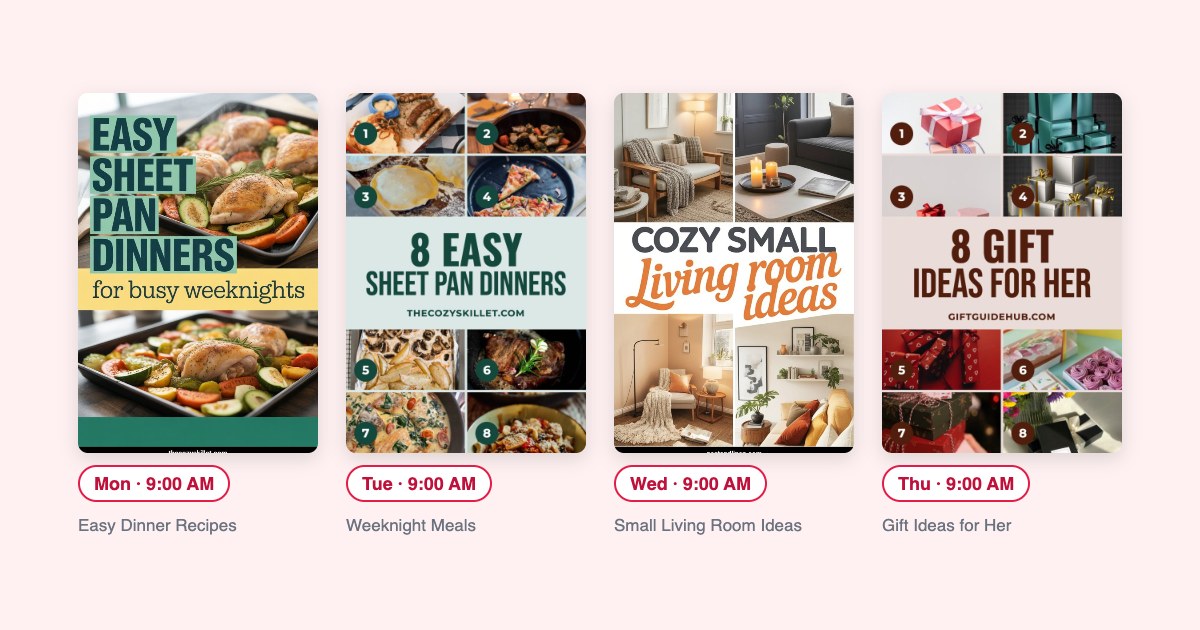
- Pins arrive as drafts with a suggested board. Nothing is published until you schedule it.
- Approving a batch spreads it over the next 30 days, with pins from the same page kept a week apart, under a daily cap. The Pinterest scheduler page has the numbers.
- Every pin is a new image with its own title and description. It won't save one image to several boards.
If your account does get suspended
- Disconnect or uninstall whatever was posting, including browser extensions.
- Appeal. The suspension email has the link; otherwise go through the Help Center's contact form. Say plainly what tool you used and that you've removed it.
- When you're back, start at one or two pins a day again and ramp up.
- Don't open a second account to carry on in the meantime. That's the "multiple accounts" rule.
Questions people ask
Is Pinterest automation allowed?
Yes, through tools Pinterest has approved: its own scheduler and bulk upload, and third-party apps that connect through the official API. The guidelines ban “automation that hasn't been explicitly approved by Pinterest”, which means bots and scripts that act as you.
Can scheduling pins get my account suspended?
Scheduling through the API doesn't. What gets accounts flagged is the content and the pace: the same image saved again and again, a flood of near-identical pins in a short time, or links through redirects. Keep every pin a new image and spread them out.
Is there a daily pin limit on Pinterest?
Pinterest doesn't publish one. Its spam filter reacts to repetition and sudden bursts, not to a fixed number. See how often to post on Pinterest for a number that fits your site.
Are Tailwind and other schedulers safe to use?
Tailwind, Metricool, Publer and Made to Spark all publish through Pinterest's official API, which is the approved route. The tool being approved doesn't make the pins safe; what you post and how fast still matters.
The checklist
- Only tools that connect through Pinterest's official login, never your password in a config file.
- No extensions or bots that save, follow or comment for you.
- Every pin a new image. The same page again only after a week, with a new title.
- A daily cap, spread across the day, raised slowly.
- Every pin on a board about its topic.
- You approve what goes out.